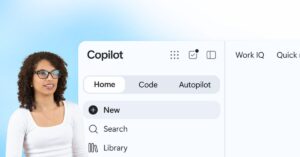
Microsoft announced a redesigned Copilot on September 25, with CEO Satya Nadella describing it on LinkedIn as “a new OS for work” that spans models, devices and tasks.
Microsoft’s official announcement, written by Jared Spataro, chief marketing officer for AI at Work, organizes the new Copilot around three capabilities: Home, Code and Autopilot. Office is also being pulled directly into the Copilot experience.
Home: A new starting point that brings Chat and Cowork together. Chat handles quick questions, lookups and drafts. Cowork is for delegated, multi-step work that returns a finished result.
Office in Copilot: Word, Excel and PowerPoint can now be used inside Copilot, with Microsoft saying files remain editable and synchronized with the Office apps.
Code: Employees can describe an app, tracker, dashboard, automation or workflow in natural language and have Copilot build it. Microsoft says the feature is powered by the same underlying technology as GitHub Copilot.
Autopilot: A persistent agent that can keep working in the cloud after the first instruction, with its own identity, memory, computer and workspace inside a company tenant.
Availability remains staged. Microsoft said Home and Code would begin rolling out through its Frontier program, while Autopilot would expand through private preview. The company also previewed Today, a proactive Home experience for mail, calendar, Teams threads, meetings and tasks, and a Teams capability that lets groups invoke @Copilot with shared channel or meeting context.
Why the OS label matters
An operating system coordinates apps, permissions, files and activity at the device level. Copilot is not a Windows replacement; Microsoft Learn still describes it as a client application for web, desktop and mobile. Microsoft is instead trying to make Copilot the coordination layer for knowledge work across Microsoft 365.
The clearest sign is routing. Microsoft says Copilot will eventually choose whether a request belongs in Chat, Cowork or Code without requiring the user to pick the mode first. That moves Copilot from answering prompts to deciding which work system should handle a task.
The second sign is context. Microsoft says Copilot is grounded in Microsoft IQ, its enterprise intelligence platform. The company is also expanding grounding through Fabric IQ, Dynamics 365 and Power Platform data and workflows, plus a new plugin registry for Microsoft, partner and custom plugins.
If those pieces work as described, Copilot becomes less of a sidebar and more of an interface for asking, delegating, building and automating work across Microsoft’s stack.
The shift from answers to execution
The new Copilot is built around a shift Microsoft has been pushing throughout 2026: from AI that responds to AI that acts.
Cowork already reflects that direction. Microsoft Learn says Cowork can carry out tasks across Microsoft 365, including sending emails, scheduling meetings, creating documents, posting in Teams, managing files and running scheduled prompts. The same documentation says users approve sensitive actions before they happen.
Autopilot pushes further. Microsoft describes it as cloud-hosted, persistent and able to continue working while attention is elsewhere. It can watch channels, follow up on threads, run recurring work and pick up projects days later.
That is also where the risk changes. A chatbot that drafts a paragraph can be reviewed quickly. A long-running agent with memory, permissions and its own workspace needs stronger boundaries around identity, approvals, audit trails, data access and spending.
Code turns Copilot into a software-making layer
Code is the part of the announcement that may have the largest operational effect inside companies.
Microsoft is pitching Code as a way for non-developers to create small, purpose-built solutions. Microsoft says Code runs in a sandboxed environment and can be hosted securely within a customer tenant.
The supporting infrastructure is Copilot Managed Runtime, now in preview. Microsoft describes it as a Microsoft 365 tenant-boundary runtime governed by IT, with managed hosting, identity, policy controls, data access, lifecycle management and a centralized admin inventory.
That detail matters more than the natural-language demo. Microsoft is not only letting Copilot generate code. It is building a managed place for AI-created tools to run inside enterprise Microsoft 365 environments.
The cost model is part of the product
Microsoft’s billing guidance separates Copilot work into two categories. Everyday AI, such as summaries, drafts and analysis, is covered by a user subscription license. Advanced AI, including Cowork, Code, Autopilot, some agentic SharePoint experiences and frontier models, falls under usage-based billing.
Those usage-based experiences consume Copilot Credits and require a user subscription license for access. Microsoft Learn also says admins must set up a billing policy before users can use AI experiences that require usage-based billing.
Microsoft has added cost management tools in the Microsoft 365 admin center so administrators can configure spending policies, apply user-level and organization-level limits, set alerts and review consumption by user, group, service, agent or funding source.
That may become one of the main adoption filters. A fixed monthly license is easy to budget. Long-running agent work is closer to compute consumption, where cost depends on what the agent does, how long it runs, which models it uses, how much context it retrieves and which tools it calls.
What is still unsettled
Microsoft’s announcement is ambitious, but much of the new Copilot experience is still rolling out through Frontier or preview channels. Broad availability, performance, admin controls and real-world cost predictability will decide how quickly organizations adopt the new model.
The most significant detail is not the slogan. It is the combination of an AI starting point, a delegated work system, a natural-language app builder, a managed runtime and a usage-based billing model. That combination suggests workplace AI competition is moving beyond chat quality and into workflow control.
Get new small business insights by email
Practical ideas and useful articles to help you make better business decisions.
Tech Help Canada Staff researches, writes, and reviews practical content for business owners and professionals. Our coverage spans business, marketing, SEO, technology, and the tools and systems people use to grow and operate online. We focus on clear, useful information backed by research, hands-on experience, and editorial review. Learn more about our team and editorial standards. Need help with something? Contact Us