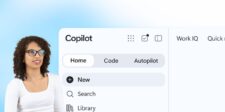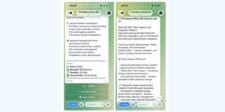

Microsoft made Office in Copilot generally available at Ignite on November 17, 2026, following an October 9 release through its Frontier early-access program. The integration is part of the company’s broader Copilot redesign announced in September.
Office files open beside the conversation
Employees can create and edit Word documents, Excel workbooks and PowerPoint presentations within the Copilot app. Microsoft’s Ignite announcement describes turning research notes into a launch brief, with the resulting Word document opening beside the chat.
Employees can refine the file through follow-up prompts or make direct edits with familiar Office controls. Sharing, comments and real-time coauthoring allow colleagues to contribute within the same experience. According to Microsoft’s October product announcement, conversation history is retained as the work develops.
OneDrive keeps Copilot and Office connected
Microsoft’s Ignite Book of News says files are saved to OneDrive and inherit Microsoft 365 permissions, sensitivity labels and compliance controls. The October announcement also says files retain their formatting, comments, sharing permissions and version history.
The Copilot app’s Library brings together recent Word, Excel and PowerPoint files, whether they were created in Copilot or the Office apps. Existing files can be reopened for editing alongside Copilot, while new documents, spreadsheets and presentations can be started from Library.
Standalone Office apps remain part of the workflow. Microsoft says files stay synchronized between Copilot and the apps, allowing employees to move between those environments and continue working on the same document, workbook or presentation.
Included file creation has a billing boundary
Microsoft’s November 17 Copilot announcement says Office file creation is included in the Copilot subscription license. It specifically describes creating a PowerPoint deck or Excel spreadsheet without a separate metered charge.
That subscription coverage doesn’t extend to every experience available through Copilot. Microsoft Learn’s billing FAQ, updated November 18, distinguishes everyday chat and Copilot in Microsoft 365 apps from advanced experiences such as Cowork, Code and Autopilot. Those advanced services consume Copilot credits and are billed based on actual usage.
The distinction becomes relevant when work moves beyond document editing. Microsoft’s Ignite announcement says Copilot may recommend transferring a complex task from Chat to Cowork, with the employee’s agreement and the task’s context carried across. Cowork falls under the separate usage-based billing model.
Administrators can manage spending policies and consumption through Cost Management in the Microsoft 365 admin center. Microsoft’s billing FAQ says disabling usage-based billing removes access to metered experiences while leaving subscription-included capabilities available.

I can suggest related Tech Help Canada articles based on the topic you’re reading now.

Tech Help Canada Staff researches, writes, and reviews practical content for business owners and professionals. Our coverage spans business, marketing, SEO, technology, and the tools and systems people use to grow and operate online. We focus on clear, useful information backed by research, hands-on experience, and editorial review. Learn more about our team and editorial standards. Need help with something? Contact Us