

If you run a service business, your website doesn’t have to do much. It needs to tell people what you offer and what it costs, and make it easy for them to get in touch. Bluehost AI Builder says it can build that from a short description, and its free plan doesn’t ask for a credit card. We wanted to see how far you can get before you have to pay.
In our test, Bluehost built a usable one-page site from a single prompt and handled a follow-up edit without disturbing anything else. The catches show up once you look past the first draft. A free site won’t appear in search results, there’s no undo button, and you can’t take the code with you if you leave. You can find out whether any of that matters for your business without paying anything. Build a sample site for free before you decide.
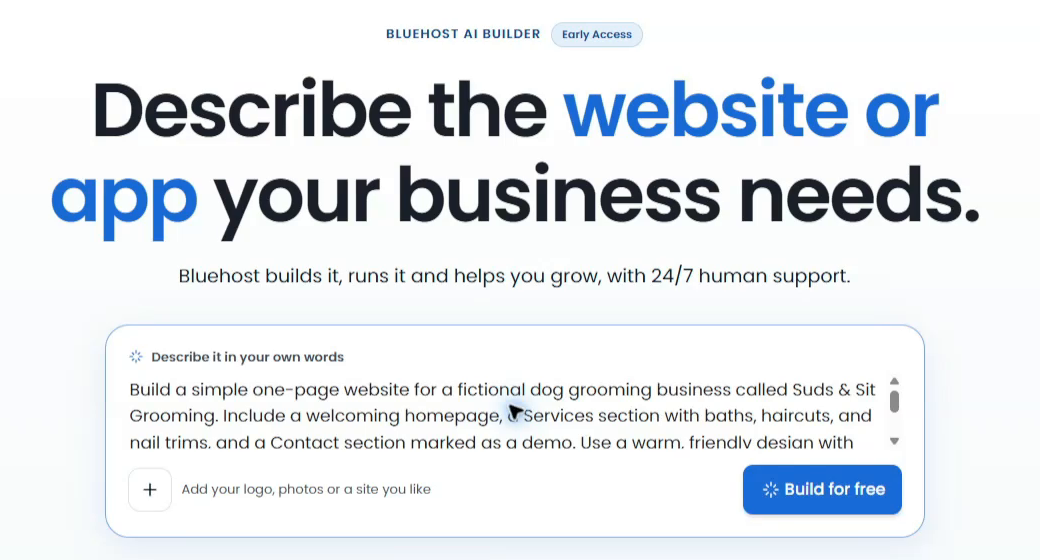
Our brief described Suds & Sit Grooming, a fictional dog grooming business, and called for a one-page site with a friendly welcome, a list of services and demo contact details. We also asked for teal accents, a dog photo and sample content, and told it to leave out bookings and payments.
We entered the prompt, clicked Build for free and signed in. Bluehost carried the prompt into the editor and showed its progress in the chat. We skipped the optional tips questionnaire and let the build finish.
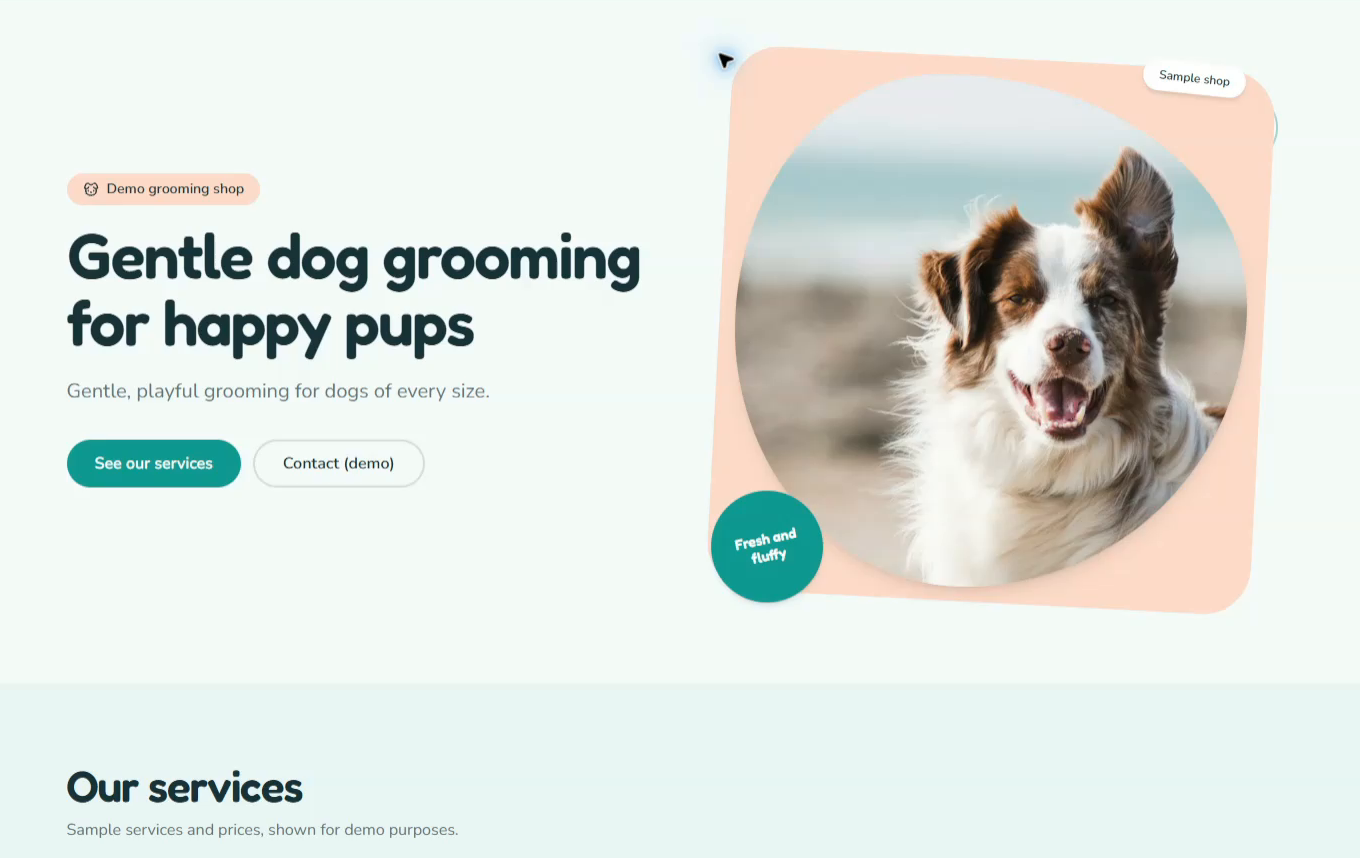
The site arrived with a teal and peach design, a dog photo and cards for baths, haircuts and nail trims. The Services and Contact links jumped to the right sections, and Bluehost labelled the prices and contact details as samples. That gave us enough to judge the layout before swapping in real photos, prices and business details.
Making changes and previewing the site
The first headline, “Clean pups, happy tails,” left visitors to work out what the business offered. We asked Bluehost to replace it with “Gentle dog grooming for happy pups” and keep the layout, photo, services and contact section as they were. It made the change and kept everything else in place. We’d write every edit request that way, spelling out what should stay put along with what should change.
During our first session, the preview inside the editor wouldn’t load, even after a refresh. Opening the preview separately let us finish checking the site. When we came back to the same project later, the built-in preview worked, phone view included. At phone width, the layout adapted to the narrow screen, with the headline wrapping and the buttons stacking above the photo.

We kept the demo in preview and didn’t publish it. Before you launch a site for real customers, confirm your business details, test every link and form, and work through our website launch checklist.
What the free plan covers and when you’d pay
We started with five credits and had three left after the build and the headline change. Each request that creates or edits the site uses one credit, whether it changes a word or generates a page, so put every section and detail you already know you want into your first prompt. You’ll have more credits left for revisions. Previewing, publishing and hosting don’t use credits. If you run out, your published site stays online. You can resume building when your credits refresh or buy a top-up.
Here’s what Bluehost listed on its product page on November 17, 2026.
| Plan | Monthly price | Build credits | Publishing address |
|---|---|---|---|
| Free | $0, no card required | 5 per day, capped at 30 per 30-day period | A Bluehost AI Builder address |
| Lite | US$20 | 100 per month | Connect your own domain |
| Standard | US$40 | 200 per month | Connect your own domain |
On the free plan, daily credits reset at midnight UTC, and the 30-day cap counts from your signup date rather than the calendar month. Credits don’t roll over, so a quiet month on Lite won’t bank extras for a busy one. Bluehost’s help centre also lists a Pro tier with 400 monthly credits, though the product page didn’t show a price for it. Paid plans can be billed monthly or for 12 months up front, and Bluehost shows the term and renewal price before you confirm, so read that screen before you upgrade.
You can publish for free on a Bluehost address ending in .app.bluehost.ai and send people the link. Bluehost says sites on those addresses aren’t indexed by search engines, so nobody will stumble on yours through a search. If customers look for businesses like yours online, budget for a paid plan so you can publish on a domain you own.
Where the builder’s limits matter
If a change goes wrong, there’s no undo button or version history to restore the previous page. You can ask the builder to reverse the change, which uses another credit. Keep your own copies of the text and images you’d need to rebuild.
The bigger decision is whether you’ll want to move the site later. AI Builder doesn’t offer source code access or a code export, so moving to another platform means rebuilding. That’s manageable for a page like our grooming demo. If you need the option to switch hosts or add specific plugins, consider a self-hosted WordPress site. Bluehost’s WordPress hosting lets you go that route without leaving the company you’re already trying.
Bluehost AI Builder can also generate browser-based business apps such as booking tools and customer portals. If your site or app collects information, the preview and live versions share one database, so test submissions are real records. Clear them out before you launch. There’s no built-in data export, but you can ask the builder to add a CSV export to the admin panel. AI Builder doesn’t support online sales or payment processing either, so if you sell products, choose a platform with a checkout built in.
Who should try Bluehost AI Builder
We’d start here for a service business that needs a place to show its work, list its services and help customers get in touch. Build a sample on the free plan, then try the kind of change you’d make in a normal week, like updating a price or replacing a photo. You’ll find out how the site feels to maintain before you pay to connect your domain.
Start with what your customers need most

I can suggest related Tech Help Canada articles based on the topic you’re reading now.

Tech Help Canada Staff researches, writes, and reviews practical content for business owners and professionals. Our coverage spans business, marketing, SEO, technology, and the tools and systems people use to grow and operate online. We focus on clear, useful information backed by research, hands-on experience, and editorial review. Learn more about our team and editorial standards. Need help with something? Contact Us