

The price on Bluehost’s plan page says $3.99 a month. The smaller print says you pay for 36 months up front, and that when those three years end, the same plan renews at $9.99 a month. Bluehost doesn’t hide either number. The trouble starts when you budget for the first one and forget about the second.
Bluehost is one of the oldest names in web hosting, and we’ve used it ourselves. It has been around for more than two decades, and WordPress.org has recommended it longer than any other host on its list. For this review, we took a fresh look at what you’d be signing up for today: the current plans and fine print, a full year of independent speed and uptime monitoring from our own hosting research, and what customers say about Bluehost on review sites.
The short version: Bluehost is a good fit if you want a WordPress site running quickly, with the technical setup handled and help available around the clock. It did well on global response times and uptime in our monitoring, and Business is the plan we’d pick for most small businesses. It’s a weaker fit if you’re expecting big traffic spikes on a shared plan, want to pay month to month without paying extra for the privilege or need daily backups included.
Bluehost
Bluehost gets a WordPress site online without much technical work, and it held up well on global response times and uptime in our monitoring. Business is the plan we’d pick for most small businesses. Budget for the renewal rate, not the sign-up price, and look over your cart before you pay.
Pros
- Second-fastest global response times of seven hosts in our 2025 monitoring, with 99.97% uptime
- WordPress installed and updated for you, with a staging site, SSH and WP-CLI on every plan
- Free self-service migration for existing WordPress sites
- 24/7 live chat on every plan, with phone support from Business up
- Recommended by WordPress.org longer than any other host on its list
Cons
- The $3.99 Starter price needs a 36-month prepay and renews at $9.99 a month
- Domain privacy comes pre-ticked and a Professional Email trial lands in your cart at checkout
- Backups are weekly, and Starter doesn’t include malware removal
- The 30-day refund covers new signups only and excludes month-to-month plans
What you get with Bluehost
Bluehost’s core product is shared WordPress hosting, sold as three plans called Starter, Business and eCommerce Essentials. Shared hosting means your site lives on a server alongside other customers’ sites, which is what keeps the price low. On every plan, Bluehost handles WordPress updates for you, includes a CDN and lets you pick a data center in North America, South America, Europe or Asia when you check out. The plans differ in how many sites and how much storage you get, which security features come included and whether you can call support.
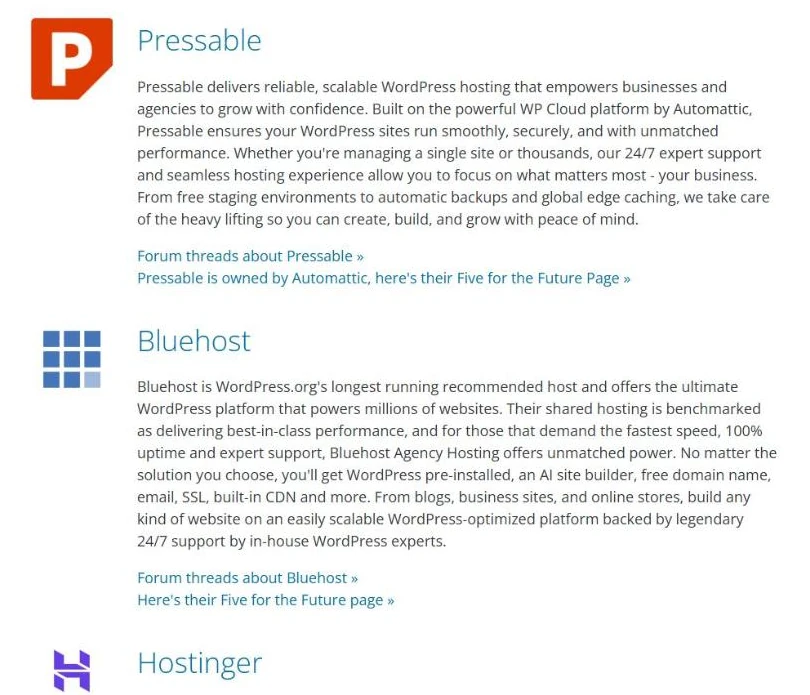
WordPress.org currently recommends three hosts: Bluehost, Hostinger and Pressable. Bluehost has held its spot the longest. It’s a fair sign that Bluehost runs WordPress the way WordPress.org expects, but it isn’t an independent performance ranking. WordPress.org calls its choices “completely arbitrary,” weighs things like automatic installs and up-to-date software, and notes that some listed hosts donate part of your fee to WordPress.org when you sign up through its page.
If your site outgrows shared hosting, Bluehost also sells VPS hosting, dedicated servers and Bluehost Cloud, a managed WordPress platform built on WP Cloud, the infrastructure run by WordPress.com’s parent company, Automattic. Cloud plans start at $65 a month on a 36-month term and are aimed at agencies and busy sites. This review covers the shared plans, which is where Bluehost’s pricing starts.
Speed and uptime: what a year of monitoring showed
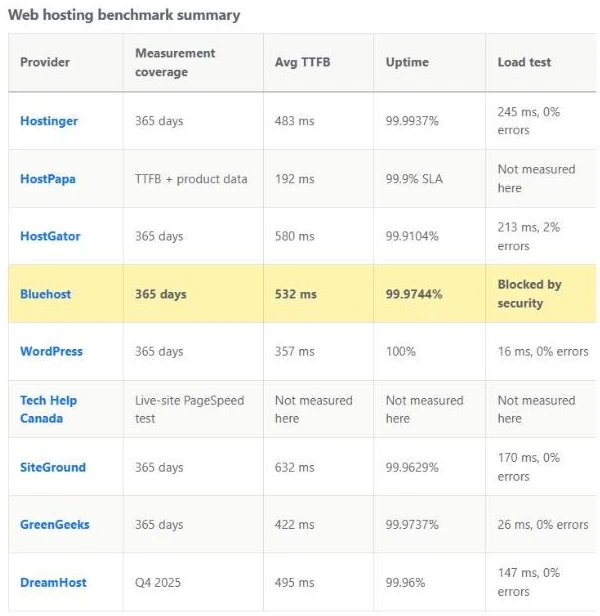
For our web hosting comparison, we pulled data from an independent third-party monitoring service that ran test sites on a standardized WordPress setup. Bluehost’s test site was monitored from January 1 to December 31, 2025.
Speed came out mixed, depending on which number you look at. Time to first byte (TTFB) is how long a server takes to start responding after a visitor’s browser asks for a page. Bluehost’s average TTFB was 532 ms, which put it in the bottom half of the hosts we compared. A separate global TTFB, collected across multiple regions, changed the order. Bluehost’s 224 ms was the second-fastest of the seven hosts with global data. If your customers are spread across countries, the global figure is the more useful of the two.
Uptime held up well. The site was up 99.9744% of the year, which works out to 2 hours and 14 minutes of downtime across 14 separate outages. That was the third-best result of the six hosts we monitored for all of 2025.
Bluehost promises 99.99% uptime on shared hosting. Over a full year, that leaves room for about 53 minutes of downtime, and the downtime in our data was more than twice that. The two numbers aren’t measured the same way, because Bluehost bases its promise on server performance and a third-party monitor counts outages by its own rules. What you get when it slips matters more. If uptime falls short, you can claim a single 5% monthly credit, and you have to ask for it within 30 days. Think of the guarantee as a goodwill gesture rather than compensation.
The load test in our comparison built to 100 simultaneous visitors over one minute. Bluehost’s security layer blocked it, and 79% of requests came back as errors. A security system stopping a burst of test traffic doesn’t show how the server handles real visitors, so we treat the result as inconclusive, not as a failure. It does leave an open question, though. If you’re planning a product launch, a flash sale or an ad campaign that could send a rush of visitors at once, ask Bluehost what your plan can handle before the day arrives, and run an approved test on that plan if they’ll allow it.
Review Signal’s 2026 WordPress hosting benchmarks add useful context on load. Bluehost earned Top Tier, the benchmark’s highest rating, in the under-$25-a-month category, with eight errors in its load test and flat response times. Three independent monitors recorded uptime of at least 99.95%. Review Signal tested a higher-tier Bluehost configuration costing $24.99 a month, though, so those results don’t necessarily reflect the Starter or Business plans. Bluehost Cloud also earned Top Tier in two pricier categories.
Setting up your site on Bluehost
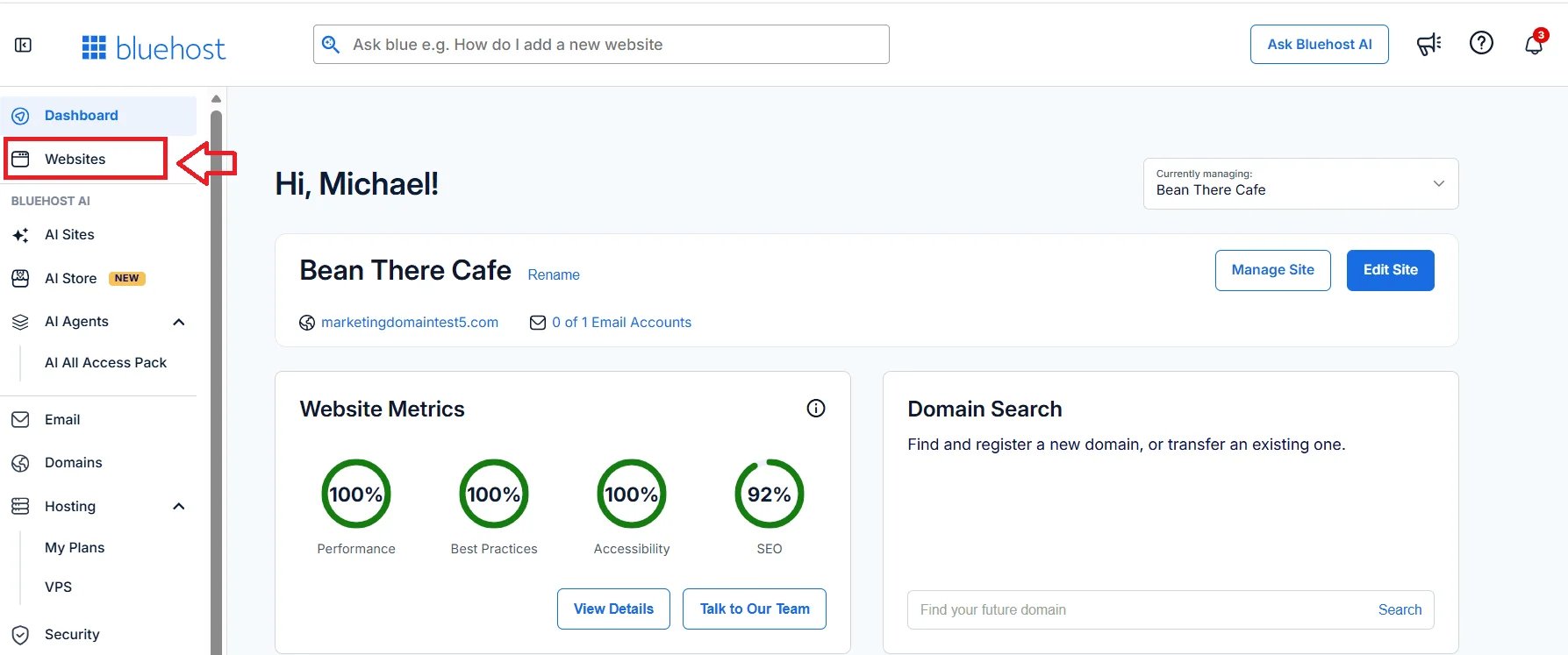
Bluehost is built for people who haven’t set up hosting before. WordPress is installed for you after checkout, and Bluehost’s AI site creation tools can put together a starter site for you to edit. Everything else lives in the Account Manager, Bluehost’s dashboard, which keeps your websites, domains, email, security settings and billing in one sidebar.
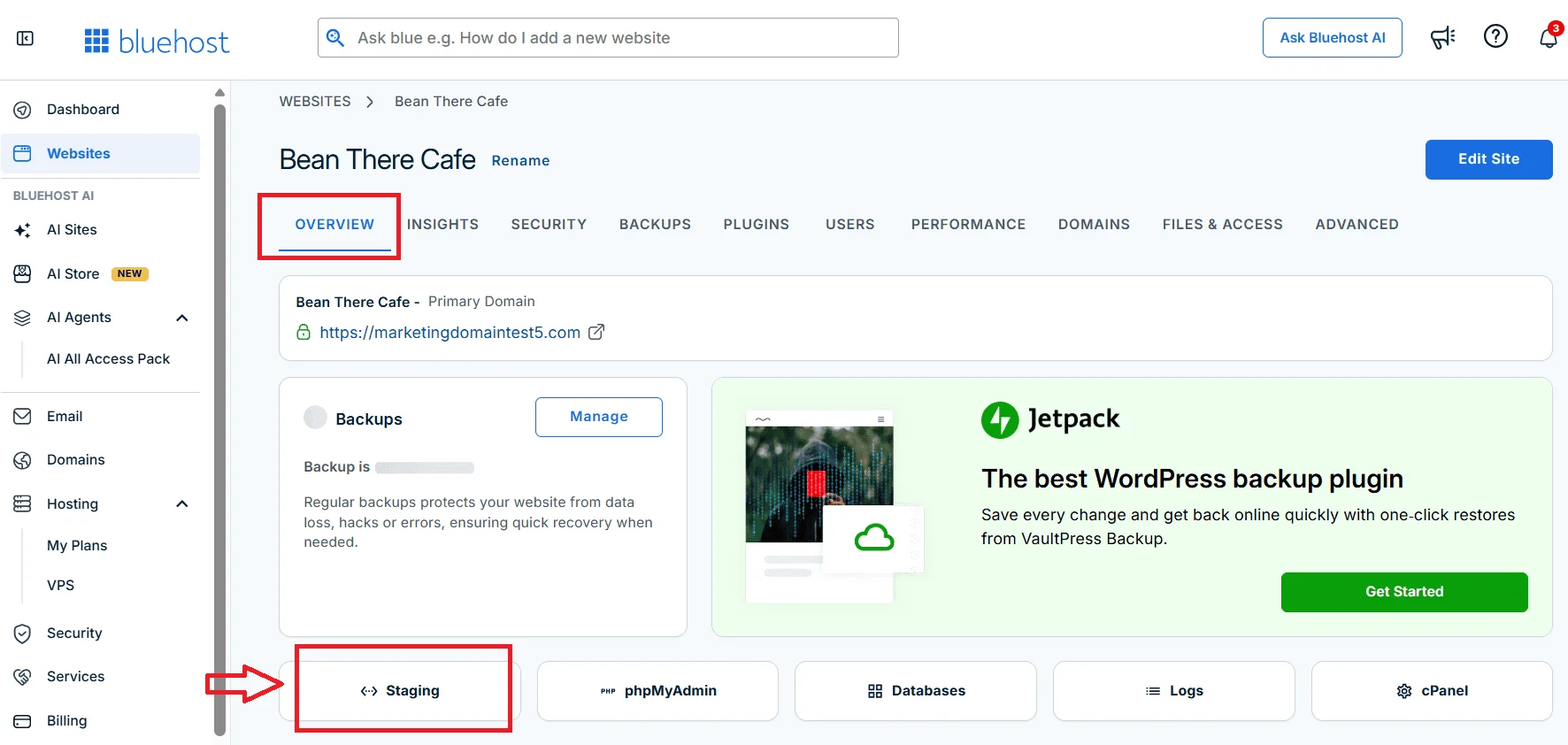
Every plan also includes a staging site, which lets you try a new theme, plugin or redesign on a copy before it touches your live site. Developers get SSH access and WP-CLI on every plan too, and static and object caching are built in.
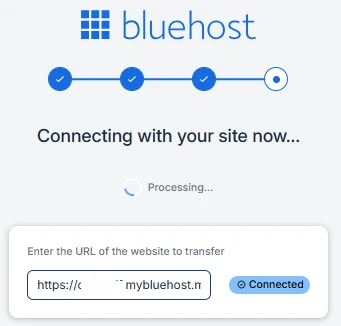
If you already have a WordPress site, moving it to Bluehost is free. Bluehost’s self-service migration tool, powered by InstaWP, copies your files and database once you approve the connection from your WordPress admin. You can look over the copied site on Bluehost’s servers before you point your domain at it, and Bluehost recommends keeping your old hosting active until you’ve confirmed everything works.
Bluehost’s shared hosting plans don’t include a free trial. Its 30-day money-back guarantee is the closest substitute, with conditions we cover below. If you want to experiment before buying hosting, Bluehost also offers a separate AI Builder with a free plan that doesn’t require a credit card.
Security and backups
All three plans include a free SSL certificate from Let’s Encrypt, malware scanning, a web application firewall and DDoS protection.
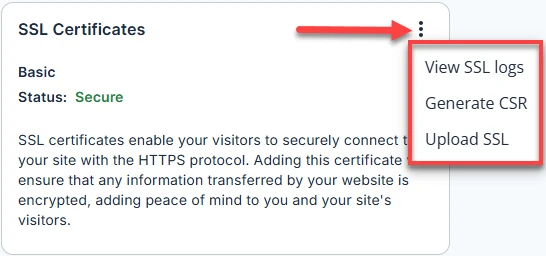
Business and eCommerce Essentials add malware removal, which Starter doesn’t include, according to Bluehost’s plan comparison table. That’s an important difference for a business website: Bluehost can scan a Starter site for malware, but cleaning up an infection isn’t part of that plan’s included protection. Some of Bluehost’s sales pages do list removal on Starter, so ask Bluehost to confirm before you count on it. Business also adds phone support and a free year of domain privacy, making it the stronger choice for most small businesses.
Backups are where Bluehost is thinnest. Every shared plan includes weekly backups, which is fine for a site that changes once a month. For a store or a site that collects form submissions every day, restoring a weekly backup could cost you as much as a week of orders or leads. Bluehost sells more frequent backups as an add-on, but whichever plan you choose, we’d also set up your own off-site backups with a WordPress backup plugin that saves copies to cloud storage you control. That way, getting your site back never depends on your host alone.
Customer support
Live chat is available 24/7 on every plan. Phone support comes with Business and eCommerce Essentials, but not Starter.
Support gets most of the praise in Bluehost’s Trustpilot reviews. Bluehost holds 4.5 out of 5 there from more than 32,000 reviews, and customers most often credit patient, knowledgeable agents who sort out website, email and migration problems quickly. Bluehost invites its customers to review it on Trustpilot. On G2, where far fewer people have weighed in, it scores 3.4 out of 5 from roughly 290 reviews, and the complaints include long waits, getting passed between agents and trouble resolving more complex technical problems.
Our comparison didn’t test support head to head, so test it yourself. In your first 30 days, send Bluehost a real question about your own site, such as how to connect a domain you bought somewhere else. Time the answer, and notice whether it fixes the problem or just points you to a help article.
Bluehost pricing and plans
| Plan | First term (36 months) | Renews at (36-month term) | Websites | Storage | Bluehost’s traffic guide |
|---|---|---|---|---|---|
| Starter | $3.99/month | $9.99/month | 10 | 10 GB NVMe | About 40,000 visits a month |
| Business | $6.99/month | $13.99/month | 50 | 50 GB NVMe | About 200,000 visits a month |
| eCommerce Essentials | $14.99/month | $21.99/month | 100 | 100 GB NVMe | About 400,000 visits a month |
These were Bluehost’s U.S. list prices when we checked on November 8, 2026. Prices vary by country and currency, taxes are extra, and Bluehost’s promotions change, so the number at checkout may differ.
The advertised price needs a 36-month term, paid in full up front. On Starter, that’s $143.64. When the term ends, the plan renews at the regular rate, which depends on the term you pick next. The table shows the 36-month renewal rates. Renew Starter for 12 months instead and it’s $11.99 a month, or $15.99 month to month. Business renews at $15.99 and $20.99 on those shorter terms.
Spreading the cost over a longer stretch gives a more honest picture. At today’s rates, six years of Starter on back-to-back 36-month terms comes to $503.28 before tax, or about $6.99 a month. Business works out to $755.28 over the same six years, or about $10.49 a month. Both are fair prices for what you get, as long as they’re the numbers you budget for.
The free domain has fine print of its own. It only comes with 12- or 36-month terms, you have to claim it within 90 days, and after the first year it renews at Bluehost’s regular rate. For a .com, that was $23.99 a year when we checked.

Which plan fits your business
Starter works for a simple site or two on a tight budget, like a portfolio, a blog or a brochure site for a service business. It’s the only plan without malware removal or phone support, and it doesn’t include domain privacy.
Business is where we’d put most small businesses. It costs $3 a month more than Starter during the first term and $4 more a month when you renew on a 12- or 36-month term. For that, you get malware removal, phone support, a free year of domain privacy and five times the storage.
eCommerce Essentials is for selling online. It installs WooCommerce for you and adds tools for payments, subscriptions, memberships, paid courses and an affiliate program. The commerce tools cover one website, so each additional store needs its own add-on.
Where Bluehost falls short
Checkout extras and auto-renewal need watching
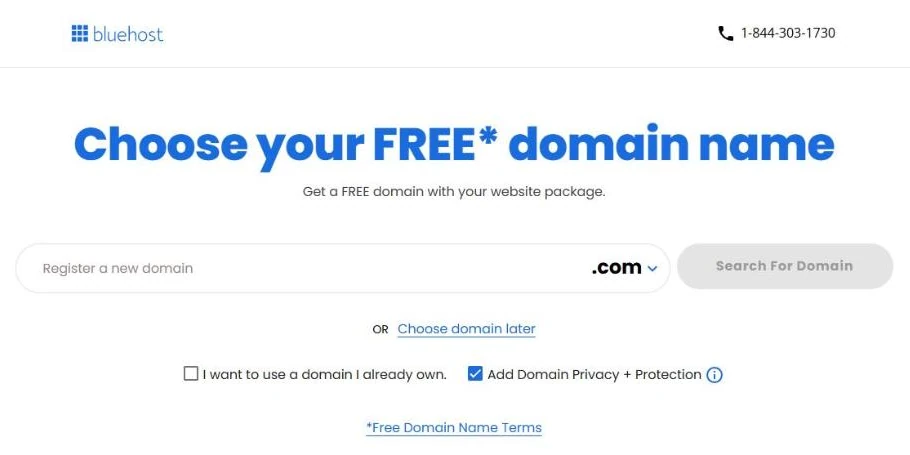
When we began a Starter order in November 2026, Domain Privacy + Protection was already ticked on the domain step. It renews at $15 a year per domain. A free month of Bluehost’s Professional Email was also in the cart, and unless you cancel it, the trial renews at $2.99 a month. Neither is a bad product. Domain privacy keeps your name and address out of public domain records, and you’ll probably want business email in some form, whether that’s Bluehost’s or Google Workspace. But you should decide whether you want them, rather than finding them on a bill later. Rising prices and upsells are a recurring theme in Bluehost’s negative reviews on both Trustpilot and G2.
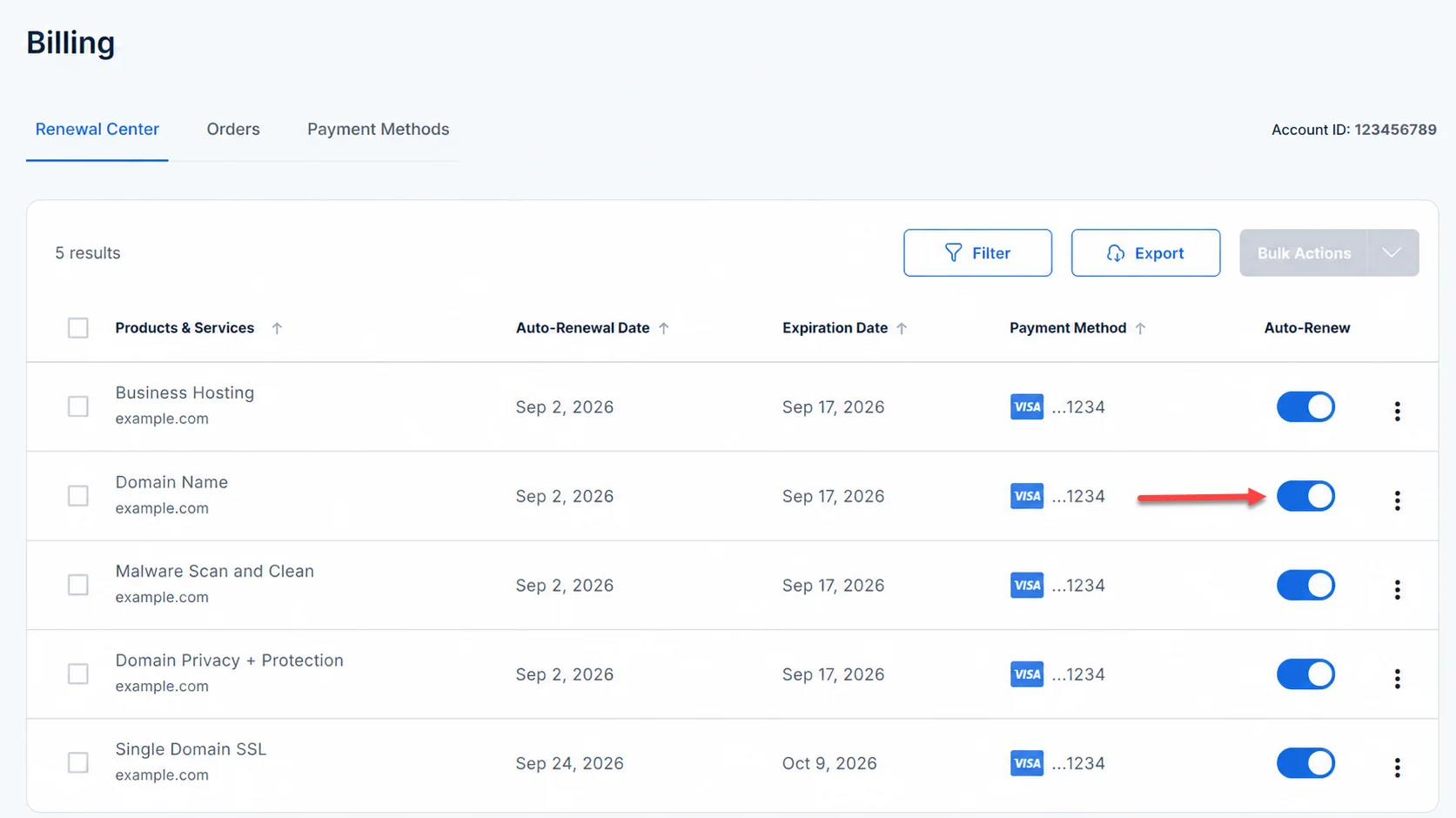
Everything renews automatically by default, and Bluehost may charge you before your hosting term expires. To stop a renewal, turn off auto-renew in the Renewal Center under Billing. Bluehost doesn’t send a confirmation email when you do, so open the Renewal Center again afterward to make sure the change stuck. Domains renew separately from hosting, so switch those off too if you’re leaving.
The money-back guarantee has tight limits
Bluehost’s 30-day money-back guarantee covers hosting fees for new signups on shared, VPS and dedicated plans. It doesn’t cover month-to-month plans, Bluehost Cloud, domain fees or add-ons like SSL certificates, SiteLock and domain privacy. If you took the free domain, Bluehost also deducts a fee for it from your refund.
Renewals are stricter still. Bluehost refunds a renewal only during what it calls the 15-day prebill window, and after that you get nothing back, not even a prorated amount for the time you won’t use. Put your renewal date in your calendar with a reminder two months ahead, which gives you time to decide before Bluehost charges you.
The company behind Bluehost has been through a debt restructuring
Bluehost is owned by Newfold Digital, which also owns HostGator, Network Solutions and Domain.com. Moody’s cut Newfold’s credit rating twice in 2025, citing the risk of refinancing debt that came due in February 2026. In December 2025, Newfold reached a deal with lenders that pushed part of its debt out to 2029, and in January 2026, S&P raised its rating to CCC+ after the restructuring. S&P also estimated that Newfold had lost more than a million subscribers, roughly 17%, since 2023.
We didn’t find signs that this has affected service, and Bluehost has kept launching products, including the AI Builder mentioned above. Still, it’s worth weighing before you prepay three years. Shorter terms cost more per month, but they cap how much money you hand over at once.
Bluehost vs. Hostinger, WordPress.com and SiteGround
Hostinger is the closest like-for-like alternative, and it’s also on WordPress.org’s recommended list. In our 2025 monitoring, it beat Bluehost on uptime, at 99.9937% with 11 outages, and was slightly faster on average TTFB. Bluehost was faster in the global test.
WordPress.com had 100% uptime and the fastest global response times in our data. It’s a more hands-off managed platform, so make sure the plan you pick supports the plugins and themes your site needs.
SiteGround came out behind Bluehost in our monitoring. It had the slowest average and global TTFB in our data, plus 44 outages over the year, the most in the group. Our hosting comparison has the full numbers and pricing for all nine hosts.
Our verdict
Bluehost’s appeal is that it takes the technical work off your plate, and nothing in our speed and uptime data gave us a reason to steer a typical small business elsewhere. The biggest predictable surprise with Bluehost isn’t the setup. It’s the renewal bill.
So judge Bluehost by what you’ll pay in year four, not what you’ll pay on day one. If the plan still makes sense to you at the renewal rate, it’s a dependable place to start a WordPress site.

Bluehost
Bluehost handles the technical side of getting a WordPress site online, from installation and updates to staging and free migration, and it held up well on global response times and uptime in our monitoring. Business is the plan we’d pick for most small businesses, as long as you budget for the renewal rate.
Why we like it
- Second-fastest global response times of seven hosts in our 2025 monitoring, with 99.97% uptime
- WordPress installed and updated for you, with a staging site, SSH and WP-CLI on every plan
- Free self-service migration for existing WordPress sites
- 24/7 live chat on every plan, with phone support from Business up
- A web application firewall and DDoS protection on every plan, with malware removal from Business up
Worth knowing
- The advertised price needs a 36-month prepay, and Starter renews at $9.99 a month after that.
- Backups are weekly, so add your own off-site backups if your site changes every day.
Plan Details
Holiday SALE. Extra 50% OFF select plans

I can suggest related Tech Help Canada articles based on the topic you’re reading now.

Tech Help Canada Staff researches, writes, and reviews practical content for business owners and professionals. Our coverage spans business, marketing, SEO, technology, and the tools and systems people use to grow and operate online. We focus on clear, useful information backed by research, hands-on experience, and editorial review. Learn more about our team and editorial standards. Need help with something? Contact Us