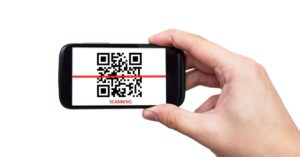
A QR code gives your customer another task. What makes your offer worth pulling out a phone?
A quick response (QR) code is a two-dimensional barcode that a compatible device can read through its camera. For marketing campaigns, it commonly contains a web address that takes someone to a page without requiring them to type the address.
That gives you a way to connect a physical touchpoint with a digital action. A customer reading a printed flyer can reach your booking page, while someone opening a package can find instructions or reorder a product. The code provides access; your offer and destination still have to earn the response.
Choose a customer action that fits the moment
Start with what someone might reasonably want to do where they’ll encounter your code. A shopper comparing products needs different information from an existing customer unpacking an order. Choose the action first, then decide whether a QR code makes it easier.
These examples show how the placement, promise, and measurement can work together.
Placement
Possible scan promise
Action to measure
Local service flyer
See available appointments
Completed bookings
Retail shelf card
Compare sizes and finishes
Product enquiries or purchases
Product insert
Order a refill for this product
Completed refill orders
Event handout
Get the speaker’s checklist
Completed downloads
Restaurant takeaway bag
Order directly for your next pickup
Completed pickup orders
Don’t ask every code to generate an immediate sale. Product education, useful downloads, and appointment scheduling can each serve a different business goal. Define success according to the task you’ve offered.
If you’re adding a code to a sales handout, build it into a focused marketing one-pager rather than treating it as a decorative footer.
Decide who controls the destination
Before printing anything, understand what address your code contains and who can keep that address working. The distinction between static and dynamic codes is mostly about how the destination is managed.
A static QR code contains fixed information. If you’ve encoded a web address, you can’t change that encoded address inside the printed pattern. You can still update the page at that address. If you control the website, you may also be able to redirect the address elsewhere.
A dynamic QR code typically contains an intermediary address. A service redirects visitors from that address to your chosen destination. Changing the redirect lets you change the final page without replacing the printed code. Available editing and reporting features depend on the service and plan.
You can also ask your web developer to create a stable redirect on a domain your business controls, then encode that address in a QR code. This gives you control over where the address leads, but someone still needs to maintain the domain, hosting, and redirect.
When comparing generators, check whether destination editing requires payment, what happens after a trial or cancellation, whether usage limits apply, and whether you can export your reporting. An image that stays unchanged doesn’t guarantee that every service behind it will remain available.
Make the scan promise match the mobile page
Write the sentence beside your code before choosing its colours or frame. It should explain what the customer gets, not merely tell them that scanning is possible.
For example, a salon flyer might say, “Scan to see available appointments.” The destination should show appointment availability or the shortest practical route to it. Sending that visitor to a general homepage leaves them searching for something your flyer already promised.
Keep the offer, relevant conditions, and next action easy to find on a phone. If booking requires a deposit or an offer has restrictions, explain those before the customer commits. Avoid adding unrelated pop-ups, mandatory account creation, or app downloads unless they’re necessary for the task.
For forms, request the information needed for the next step and explain how you’ll use it. Keep an optional newsletter invitation distinct from the resource or service the visitor came to receive.
Design for the scanning conditions
Start with a dark pattern on a light, solid background. Keep surrounding artwork away from the code and avoid stretching it, placing it across folds, or wrapping it around a difficult curve.
DENSO WAVE’s guidance specifies a clear margin, called a quiet zone, four modules wide on every side of a standard QR code. A module is one of the small squares that make up the pattern. Don’t fill that margin with text, borders, or your logo.
Choose the printed size for the distance at which people will scan. A shelf label and a poster across a room need different treatment. Rather than relying on a universal minimum measurement, test the actual artwork at its intended size and location.
Adobe’s design guidance also recommends testing physical samples under realistic lighting, angles, and viewing distances. Keep branding around the code if customising the pattern makes reliable scanning harder.
Track the visit and the customer action separately
Google Analytics supports UTM parameters, which label incoming campaign traffic. Add these to your destination address before generating the code or configuring its redirect.
For a service flyer, an example naming scheme could use the following values.
utm_source=service_flyer identifies the source of the visit.
utm_medium=qr identifies your chosen marketing medium.
utm_campaign=return_visit identifies the campaign.
utm_content=version_a distinguishes this creative version or placement.
These are example values, not mandatory names. Document your naming scheme and use consistent lowercase values, since Google Analytics treats parameter values as case-sensitive.
Create distinct tagged destinations for placements you want to compare, even when they lead to the same offer page. Reusing one identical code across flyers and receipts won’t reliably distinguish those sources using the code alone.
A static code can contain a tagged destination address too; website campaign measurement doesn’t inherently require a dynamic QR subscription. If you’re using redirects, verify that the intended tracking parameters reach the final page and appear in your reporting.
Measure completion, not just interest
Configure measurement for the action you actually want, such as a successful booking, submitted enquiry, or purchase. Google Analytics lets you mark an event that’s important to your business as a key event. For a booking campaign, measure a completed booking rather than treating a tap on the booking button as the finished task.
Keep scan reports separate from website sessions and completed actions. Bitly, for example, describes unique scans as estimates of individual users. They aren’t a verified count of distinct customers, and scan activity alone doesn’t establish sales.
Keep names, email addresses, and other personal identifiers out of campaign parameters. Google’s Analytics policies prohibit sending information that Google could recognise as personally identifiable.
A hypothetical campaign calculation
Suppose a campaign costs $240 across design, printing, distribution, and relevant service expenses. It records 100 tracked website sessions, with eight sessions each producing one completed booking.
The session booking rate is 8%. With eight attributed bookings, the campaign cost per booking is $30, calculated as $240 divided by eight. These are illustrative planning figures, not a performance benchmark.
That 8% isn’t the percentage of everyone who saw your flyer. The calculation also doesn’t prove that all eight bookings were additional business caused by the campaign. Keep attributed results separate from claims about incremental growth.
Protect trust and provide another route
The Canadian Centre for Cyber Security warns that malicious QR codes can direct people to phishing websites. Make your business name and a recognisable destination domain visible beside the code, but don’t treat branding as a security guarantee.
For public-facing materials, include checks for damage, unexpected stickers, and changed destinations in your maintenance routine. Protect accounts that can edit your redirects, and limit editing access to the people who need it.
Print a readable web address beside the code so scanning isn’t the only route to the offer. Where appropriate, provide a phone or staff-assisted option too. The U.S. Department of Energy’s communication guidance similarly recommends including a text address alongside QR codes.
On your website or in an email, use a normal clickable link as the primary route. Don’t make someone work out how to scan an image when they could simply select a link.
Test the whole journey before ordering the print run
A successful camera scan is only one part of the test. Follow the route through to the booking, download, or purchase you plan to measure.
Scan the final exported artwork and a physical proof at the intended size, distance, and lighting.
Try more than one phone, including iPhone and Android devices when available.
Open the destination using a mobile connection and complete the main task.
Confirm that campaign parameters survive redirects and that the completion event is recorded.
Check the alternative web address and decide what visitors should see after the offer ends.
Assign someone to maintain the destination and review the campaign. Keep a record of each code’s placement, encoded address, final destination, tracking labels, and review date so it doesn’t become an unowned asset after launch.
Start with one campaign you can learn from
Choose one useful offer and a limited placement before expanding. Decide what result would justify continuing, set a review date, and include the full campaign cost in that decision.
When testing changes, vary one element at a time where practical. Comparing two placements with different offers, audiences, and designs won’t tell you which difference influenced the result. Treat small response counts as early observations rather than a reliable winner.
Get new small business insights by email
Practical ideas and useful articles to help you make better business decisions.
Tech Help Canada Staff researches, writes, and reviews practical content for business owners and professionals. Our coverage spans business, marketing, SEO, technology, and the tools and systems people use to grow and operate online. We focus on clear, useful information backed by research, hands-on experience, and editorial review. Learn more about our team and editorial standards. Need help with something? Contact Us