Apple plans to make one of the Mac’s broadest privacy permissions harder to grant. In an October 2 Apple Developer News notice, the company said it will add controls so that granting Full Disk Access requires “very explicit user action.”
Full Disk Access is powerful because it sits above many narrower macOS privacy controls. Apple says the permission exists largely so backup apps can function properly, but its own support documentation describes it as allowing apps to access all files on a computer, including data from apps such as Mail, Messages, Safari and Home, data from Time Machine backups, and certain administrative settings.
That makes the permission different from a prompt for a single folder, camera, microphone or calendar. Once granted, the access can cover browsing history and other sensitive stores of information created by other apps, not only the files a person intentionally opens inside the app requesting access.
Apple also warned that communication apps raise a second privacy problem: messages can contain information about other people, not just the Mac owner. A broad local permission can therefore expose data from contacts who never saw or approved the prompt.
Why AI agents raise the stakes
Apple’s announcement frames the issue around agentic software rather than ordinary apps. Traditional utilities usually ask for access to perform defined jobs such as indexing, scanning or backup. AI agents are being sold as systems that can work across apps and services, inspect context, make plans and carry out tasks with less step-by-step input.
The Associated Press reported in September that Meta pitched Muse, its personal AI agent, as software that could help with schedules, shopping and longer-term planning, including opening a browser, filling forms and acting on a user’s behalf. The more an agent is expected to act across a digital life, the more consequential a one-time Mac permission becomes.
Apple is not banning the permission
The planned change is about the path to consent, not the removal of Full Disk Access. Apple said some people may still genuinely want to grant an app this level of access, and its current security documentation already says apps that need full storage access must be explicitly added in System Settings or System Preferences.
What remains unknown is how much friction Apple intends to add. As of October 8, Apple had not named a macOS version or release date, shown a new prompt, said whether existing approvals will be rechecked, or explained how managed workplace Macs will handle the change.
That missing detail matters for developers and IT administrators. Backup apps are the example Apple gave, but the company’s notice does not define every legitimate use case or explain how future requests will be evaluated.
The Meta Muse dispute sharpened the consent problem
Apple did not name Meta, Muse or any other developer in its announcement. Still, the timing followed public scrutiny of Muse after Inc. columnist Jason Aten alleged that the agent accessed his Apple Messages data without permission.
Aten wrote on September 19 that Muse sent a notification based on a private Messages conversation and later appeared to have synced his local Messages database. Meta disputed the claim. TechCrunch reported that Meta communications executive Andy Stone said Muse can read Messages only when both macOS Full Disk Access and the Messages connector inside Muse are enabled.
The disagreement matters less than the larger design problem Apple identified. If a technically required permission is so broad that people do not understand what it unlocks, consent can become hard to evaluate after the fact. A click in a settings pane is not the same as meaningful understanding of what an AI agent may read, remember or act on later.
What changes now
For Mac users, nothing in Apple’s notice suggests an immediate settings change has already arrived. The current place to review approved apps remains System Settings > Privacy & Security > Full Disk Access on newer versions of macOS.
The practical step is to treat Full Disk Access as a high-risk approval, especially for AI agents and apps that can inspect large parts of the local file system. Apps that do not need broad access for a current task should not keep it simply because they requested it in the past.
For software makers, the signal is clearer. Apple is pushing developers toward permission requests that are easier to understand at the moment they appear. An AI agent that only needs a folder, a connector, a calendar or a limited set of files will have a harder time justifying a request for the entire disk.
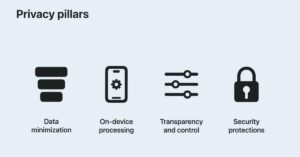
Apple’s security documentation frames Mac file access around transparency, consent and control. Its latest warning suggests the next test is whether those controls can still make sense when the app asking for access is no longer just a tool, but an agent that may decide what to do next.
Get new small business insights by email
Practical ideas and useful articles to help you make better business decisions.
Tech Help Canada Staff researches, writes, and reviews practical content for business owners and professionals. Our coverage spans business, marketing, SEO, technology, and the tools and systems people use to grow and operate online. We focus on clear, useful information backed by research, hands-on experience, and editorial review. Learn more about our team and editorial standards. Need help with something? Contact Us