
CopyHub is a writing workspace that helps you create, improve, and manage copy in one place.
You can use it to write articles, emails, landing pages, ads, product descriptions, social posts, scripts, and more. You can also use it to ask questions, get feedback, plan content, research a topic, or improve text you already wrote.
CopyHub has two main areas:
- The chat, where you talk to CopyHub, ask questions, request ideas, and give instructions.
- The editor, where finished drafts and document updates appear.
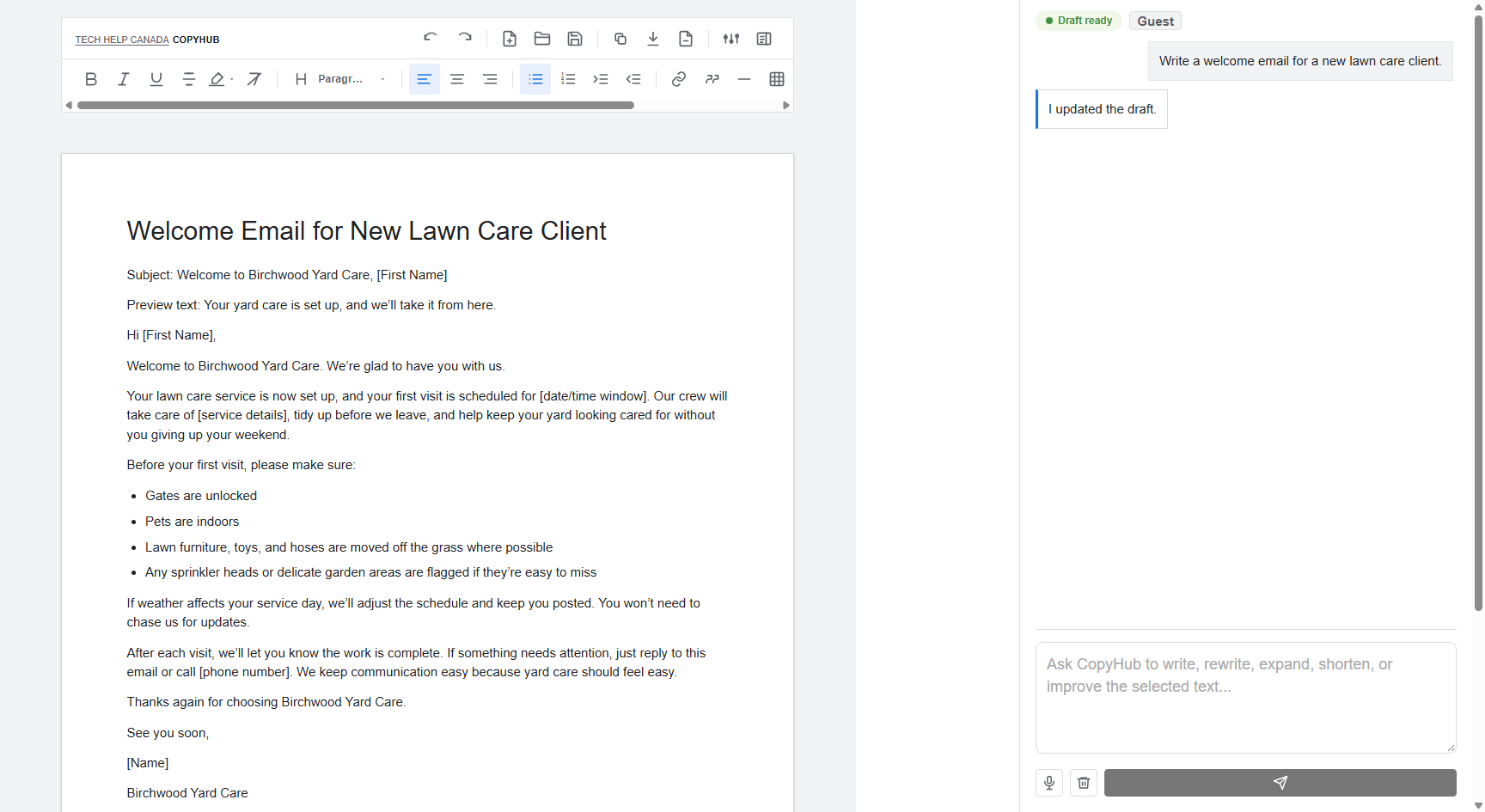
Think of the chat as the conversation and the editor as your working document.
What you can do first
If you’re not sure where to start, type a simple request into the chat box.
For example:
Write a welcome email for a new landscaping client.
Write a landing page for our bookkeeping service.
Give me three LinkedIn post ideas about small business marketing.
CopyHub decides whether to answer in chat or create copy in the editor based on what you ask.
If you ask for a finished piece of copy, such as an email, article, landing page, or ad, CopyHub usually places that draft in the editor. If you ask for ideas, feedback, research notes, an outline, or general advice, CopyHub usually answers in chat.
How the editor works
The editor is where you can write and polish your copy.
You can type directly into it, paste content from another document, highlight text, format headings, add links, use lists, insert tables, and ask CopyHub to revise specific sections.
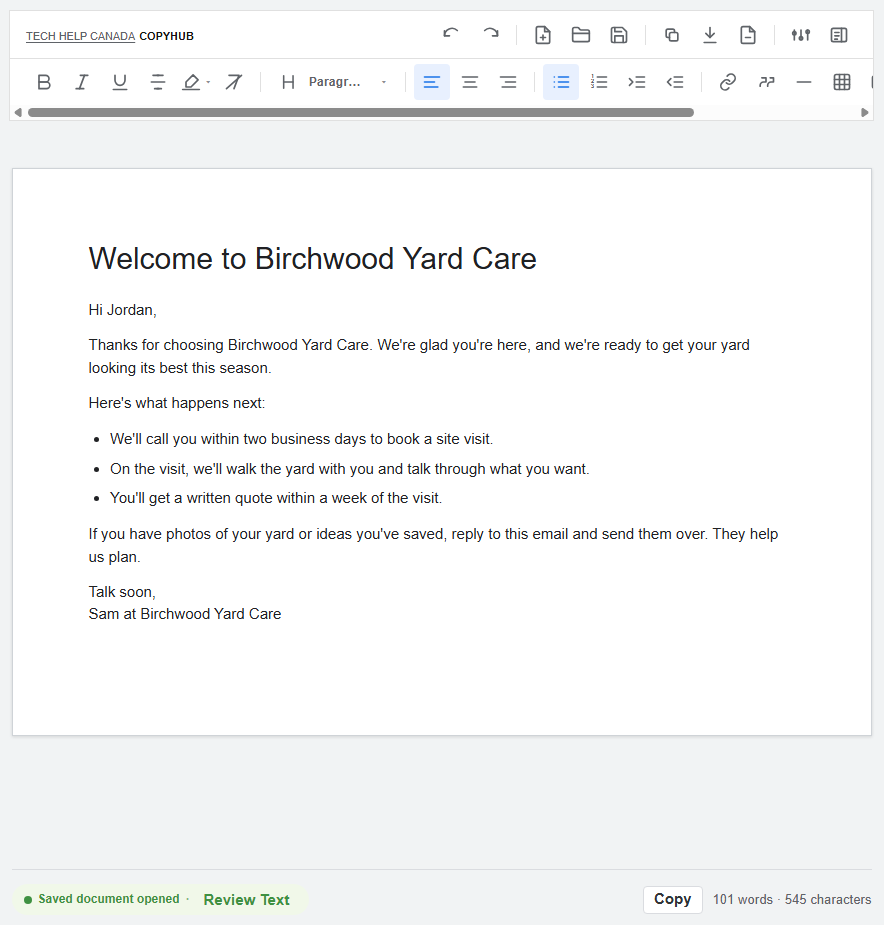
The first large heading in the editor acts like your document title.
How the chat works
You can use chat for anything you would ask a writing assistant.
For example:
Does this article make sense?
Give me three stronger headline options.
What would you improve before I publish this?
These kinds of questions should stay in chat unless you ask CopyHub to update the editor.
A good first workflow
Start simple:
- Ask CopyHub to write a draft.
- Read the draft in the editor.
- Highlight any section you want to improve.
- Ask CopyHub to revise only that section.
- Save, copy, or export your finished copy.
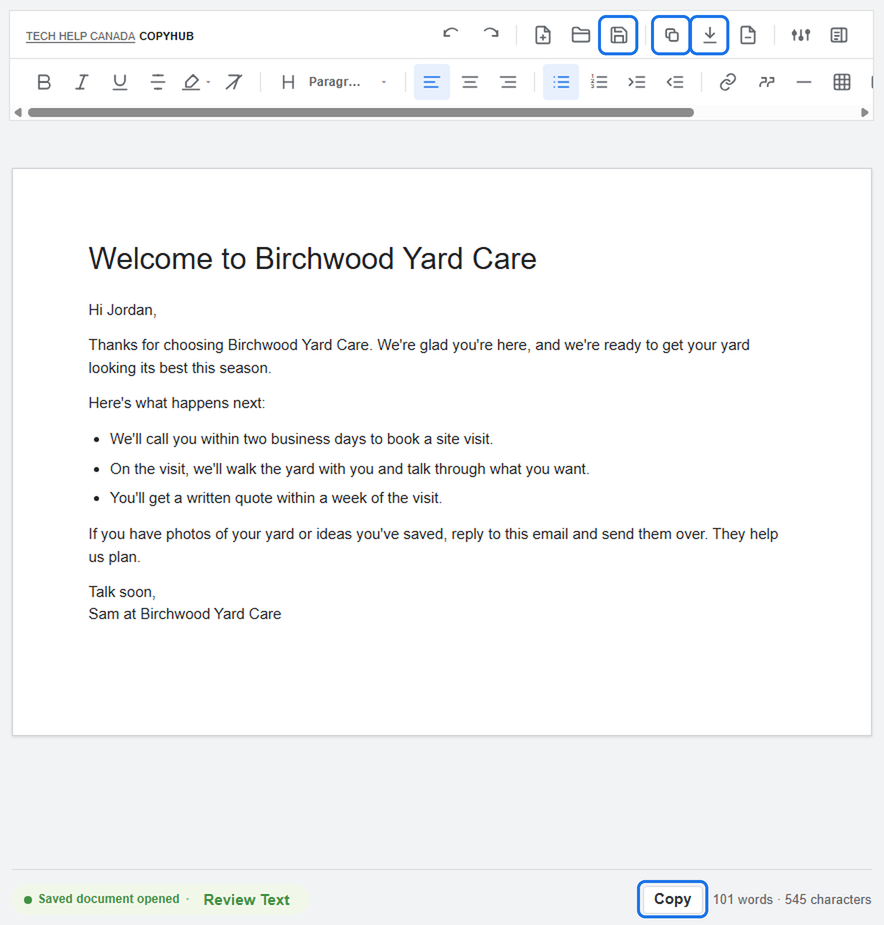
You don’t need to write a perfect prompt. Start with what you need, then refine from there.
What to expect
CopyHub is built to help you work on copy, not just generate one answer and disappear. You can ask follow-up questions, make manual edits, request changes, and keep improving the same document.
If you’re using CopyHub as a guest, your work is saved only in your browser. For account-synced saved documents and saved instructions, create a free account and log in.

I can suggest related Tech Help Canada articles based on the topic you’re reading now.

Tech Help Canada Staff researches, writes, and reviews practical content for business owners and professionals. Our coverage spans business, marketing, SEO, technology, and the tools and systems people use to grow and operate online. We focus on clear, useful information backed by research, hands-on experience, and editorial review. Learn more about our team and editorial standards. Need help with something? Contact Us