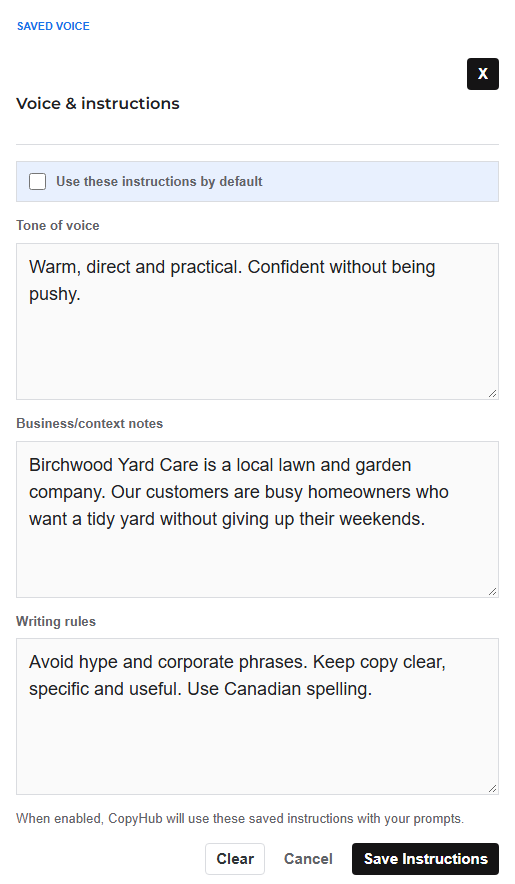
Voice and Instructions let you save details CopyHub should remember when helping you write.
This is useful if you often write for the same business, audience, brand, client, or tone.
What you can save
You can save guidance such as:
- Tone of voice.
- Business context.
- Audience notes.
- Writing rules.
- Words or angles to avoid.
- Positioning notes.
- Style preferences.
For example, you might save:
Write in a confident, conversational voice. Our audience is small business owners who want practical marketing advice without jargon.
Or:
Avoid hype. Keep copy clear, specific, and useful. Use Canadian spelling.
Why this helps
Without saved instructions, you may need to repeat the same context every time.
With saved instructions, CopyHub has a better starting point for your prompts.
That can make drafts feel more consistent from one request to the next.
How to use it
- Open Voice and Instructions.
- Add your tone, context, or rules.
- Save your settings.
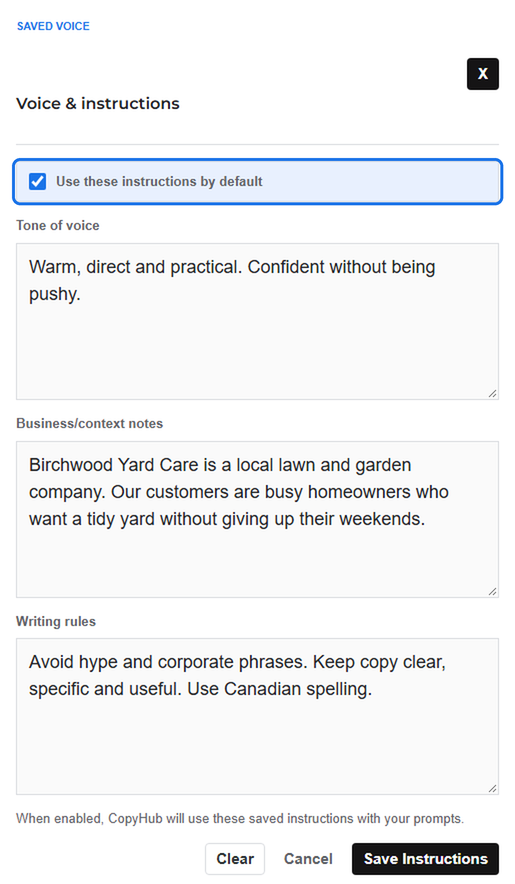
- Make sure saved instructions are enabled if you want CopyHub to use them.
Guest vs logged-in instructions
Guest saved instructions are stored locally in the browser.
Logged-in instructions can be saved to your account.
If you want instructions to be available more reliably, use CopyHub while logged in.
Tips for better instructions
Be specific, but don’t overcomplicate it.
Good:
Write for busy local business owners. Keep the tone direct, warm, and practical. Avoid corporate phrases.
Less helpful:
Make it good and professional.
The more useful your instructions are, the less you have to repeat yourself.

I can suggest related Tech Help Canada articles based on the topic you’re reading now.

Tech Help Canada Staff researches, writes, and reviews practical content for business owners and professionals. Our coverage spans business, marketing, SEO, technology, and the tools and systems people use to grow and operate online. We focus on clear, useful information backed by research, hands-on experience, and editorial review. Learn more about our team and editorial standards. Need help with something? Contact Us