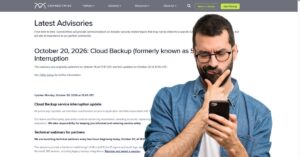
October 20, 2026 update: ConnectWise Cloud Backup, SaaS Security, and Cloud Management remain suspended following unauthorized access to application identities associated with the former SkyKick service. ConnectWise said it is resetting accounts, replacing application credentials, and validating its environment with third-party specialists. Restoration will proceed in controlled phases once remediation and security checks are complete, but no restoration time has been confirmed.
ConnectWise first published its Cloud Backup advisory on October 16 at 17:47 UTC and updated it most recently on October 20 at 12:45 UTC.
At 07:00 UTC on October 17, ConnectWise disabled seven application identities connected to Cloud Backup and Cloud Management. It also revoked certificates used for affected application connections and said affected shared Cloud Backup credentials are no longer valid. The company warned that disabling affected connections stops new authentication through those connections but does not reverse changes already made inside a customer tenant.
As a result, scheduled backups, archive access, restores, SaaS Security monitoring and alerting, and Cloud Management user and license management remain unavailable while remediation and validation continue.
ConnectWise said existing Cloud Backup archives remain encrypted, isolated, and preserved, and that it has no evidence those archives were accessed. It also said those archive findings do not establish whether individual live Microsoft 365 environments were affected, because Cloud Backup does not give ConnectWise downstream visibility into partner and customer tenants.
Why the Microsoft 365 exposure is the main concern
The reported activity centers on an application identity, not a normal employee sign-in. Microsoft Learn describes a service principal as the local representation of an application in a Microsoft Entra tenant, with access governed by the permissions granted in that tenant.
That distinction matters because a backup application can be granted broad tenant permissions to perform backup and restore work. Todyl said the Cloud Backup app’s existing consent permitted read/write access to mail and attachments, OneDrive and SharePoint files, and Teams chats, including the ability to restore data. Huntress similarly described the app as having broad access to mailbox, file, Teams, and directory data where it is installed.
Huntress said the Cloud Backup application identity signed in to customer Microsoft 365 tenants from the IP address 144.172.64[.]128 on October 15 and received Microsoft Graph access tokens. It initially confirmed unauthorized sign-ins in 162 tenants as of October 16. By October 17, Huntress had identified sign-in activity across nearly 1,000 Entra tenants from that address, with more than 300 successful sign-ins. These figures reflect Huntress’s findings, not a global incident count.
Todyl separately reported successful application sign-ins in monitored tenants between 07:11 and 08:47 UTC on October 15. Its analysis said an attacker holding a valid secret for the application authenticated directly to Microsoft 365 as the application itself, not as an individual user. A compromised application credential can create exposure across many downstream tenants without a user password, a desktop compromise, or a visible MFA challenge.
Microsoft Threat Intelligence said on October 17 that it was tracking an active supply chain attack in which a threat actor compromised the trusted OAuth app for ConnectWise Cloud Backup to obtain access tokens across customer tenants. Microsoft said it observed broad successful service principal authentication from 144.172.64[.]128 on October 15 and recommended reviewing service principal sign-ins, app credential changes, and OAuth grant activity associated with the Cloud Backup app ID.
What administrators are being told to check
ConnectWise is telling partners to review both their own Microsoft 365 tenants and every managed customer tenant, including dormant SkyKick connections. The company said affected apps should remain disabled until formal restoration instructions are available.
The key application ID for ConnectWise Cloud Backup is 506e08f9-6e9a-4da4-942b-a099a03644ae. ConnectWise also listed six Cloud Management application IDs for tenant review.
Older installations may show SkyKick names, so ConnectWise advised matching on application ID rather than display name. The company also told partners not to treat a vendor-side disablement and the local enterprise application setting as the same control.
ConnectWise’s technical guidance says reviews should cover October 13, 2026, through current time, with broader searches back to October 1 where logs allow. It also says to preserve Entra sign-in and audit records, Microsoft Purview audit data, SIEM records, and Graph activity records where available.
The company listed 144.172.64[.]128 as a suspicious address and later added 144.172.64[.]99 and 144.172.64[.]60 as IP indicators shared through downstream monitoring. It also flagged scripting user agents such as Python-urllib/3.12, python-requests, and curl as context that may require investigation, while cautioning that an address match or user agent alone does not prove data theft.
Huntress separately reported that it had not observed application sign-ins from the two additional addresses in its monitored tenants and had not established that the associated login attempts were related to the Cloud Backup authentication activity.
For MSPs, the immediate issue is ensuring every customer tenant receives the guidance and is checked. For businesses using a reseller, distributor, marketplace, or outside IT provider, the practical question is whether the responsible administrator has reviewed the tenant for affected app IDs, suspicious service principal sign-ins, added credentials, OAuth grants, directory role changes, and mailbox rules.
Why disabling the app is not the end of the review
ConnectWise and Huntress both caution that blocking the original app does not remove credentials or permissions that may have been added elsewhere.
Huntress reported post-compromise activity in two customer tenants. In both, a ConnectWise application assigned itself Global Administrator privileges and added new credentials to other applications, potentially preserving access. In one tenant, the Cloud Management – MS Teams application added credentials to an MSP management application and a tenant-specific Huntress application. Huntress removed the unauthorized credential from its application on October 16.
Those persistence findings involved related ConnectWise applications. Todyl, meanwhile, reported no directory changes tied to Cloud Backup activity in the tenants it examined. Current evidence points to two response tracks: confirm whether Cloud Backup tokens were issued and review whether related applications, roles, secrets, grants, or mailbox changes created persistence.
What remains unknown
Several high-risk questions remain open. ConnectWise has not announced how the credential or application identities were exposed. It has not published a global count of affected tenants. The company says it has no evidence that stored backup archives were accessed, while outside researchers warn that Microsoft 365 logging may not prove exactly which data was read or copied once an app-only token was issued.
ConnectWise says mitigations are in place and that it has not observed successful threat activity in the environments it monitors since those mitigations were implemented. Until the company confirms restoration steps and the investigation closes, Microsoft 365 administrators and MSPs should keep affected applications disabled, preserve logs, and complete tenant-by-tenant review before reconnecting services.
Get new small business insights by email
Practical ideas and useful articles to help you make better business decisions.
Tech Help Canada Staff researches, writes, and reviews practical content for business owners and professionals. Our coverage spans business, marketing, SEO, technology, and the tools and systems people use to grow and operate online. We focus on clear, useful information backed by research, hands-on experience, and editorial review. Learn more about our team and editorial standards. Need help with something? Contact Us