Your website should do more than explain the business and list what it sells. A brochure-style website can look polished and still fail to attract qualified visitors, earn trust, capture leads, or bring people back after the first visit.
That’s the core difference between a static website and an inbound website.
Inbound marketing is about helping the right people find you, learn from you, trust you, and take the next step when they’re ready. It doesn’t mean you stop selling. It means the site is built around usefulness first, with clear paths from attention to relationship to conversion.
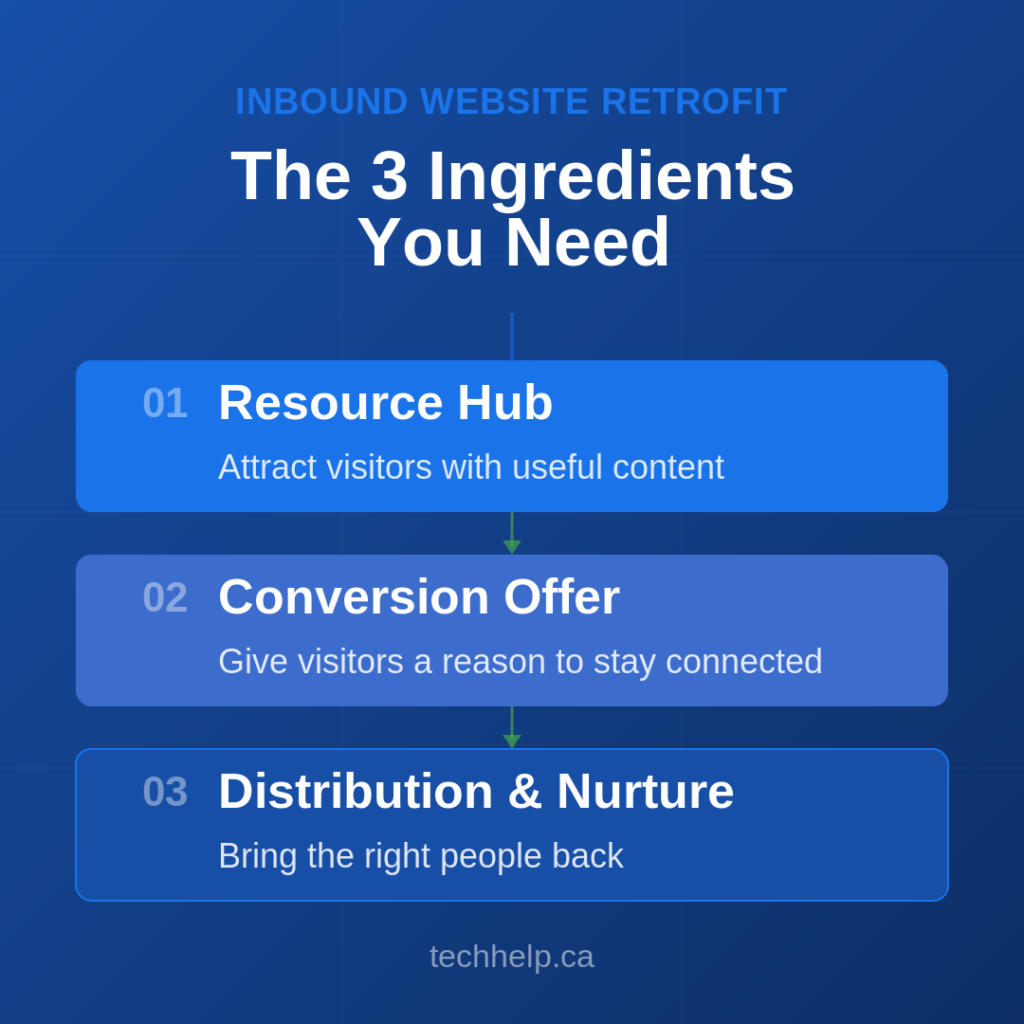
You don’t always need a full redesign to get there. In many cases, you can retrofit the website you already have by adding three ingredients: a resource hub, a conversion offer, and a focused distribution and nurture system.
Inbound Marketing vs. Brochure Marketing
A brochure website is mostly brand-centered. It explains the company, shows services, lists contact details, and asks people to call, book, or buy. That content still matters, especially for people who are already evaluating you.
The problem is that brochure content rarely creates demand on its own.
Inbound marketing is audience-centered. It answers questions, solves small problems, reduces uncertainty, and gives people a reason to return. A common definition frames it around attracting, engaging, and supporting people with useful content instead of relying only on interruption-based tactics.
Outbound marketing pushes a message outward through cold calls, ads, direct mail, trade shows, sponsorships, or outreach. Inbound marketing pulls people inward through search, useful content, email, communities, social posts, referrals, and helpful resources.
Both can work together. A paid campaign can drive attention to a useful guide. A sales rep can send a case study during follow-up. A trade show can feed an email sequence. The point isn’t inbound versus outbound. The point is whether your website keeps doing useful work after the first visit.
A Quick Inbound Website Audit
Before changing pages, ask two questions:
Can this website attract qualified visitors without constant paid promotion?
Can this website give first-time visitors a reason to come back or stay connected?
If the answer to both is no, the site probably needs an inbound retrofit.
Here are the signs:
Most pages only describe your company, services, and credentials.
There are few helpful resources for people who aren’t ready to buy.
Blog posts, if they exist, are outdated or too thin to answer real questions.
There is no clear reason for visitors to subscribe, download, save, or revisit.
Social media links send people away, but the site does little to bring them back.
Calls to action jump straight from “learn about us” to “contact us.”
Search traffic is weak because the site doesn’t target enough real customer questions.
A strong inbound website doesn’t need to be massive. It needs to be useful, findable, and connected to a follow-up system.
Ingredient 1: A Resource Hub
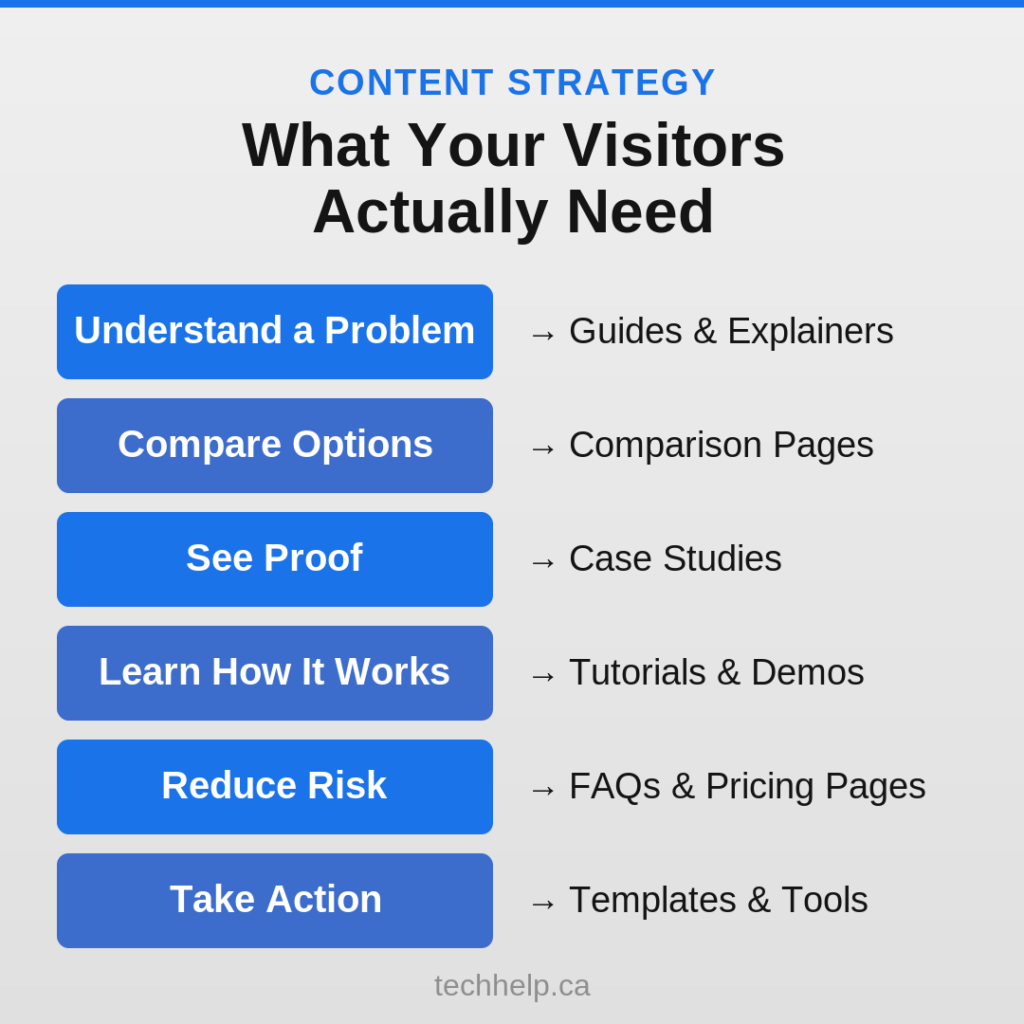
A resource hub is the educational center of your website. It can include blog posts, guides, videos, checklists, templates, case studies, webinars, FAQs, research, comparison pages, and tutorials.
The resource hub does three jobs:
It helps search engines and AI systems understand what your business knows.
It gives visitors useful answers before they’re ready to buy.
It creates assets you can share through email, sales follow-up, social media, and paid promotion.
Google’s guidance on helpful content is clear: content should be created for people first, demonstrate real experience or expertise, and leave readers feeling they have learned enough to achieve their goal. That’s the standard your resource hub should aim for.
What Counts as Useful Content?
Useful content isn’t limited to non-promotional education. Promotional content can be useful when it helps someone make a better decision.
A local hair salon posting before-and-after photos can be useful because prospects can judge style, skill, and fit. A renovation company showing project timelines can be useful because homeowners can understand what to expect. A software company publishing product walkthroughs can be useful because buyers can see whether the tool matches their workflow.
Comparison pages, buying guides, pros and cons lists
See proof
Case studies, testimonials, before-and-after examples
Learn how something works
Tutorials, demos, webinars, process breakdowns
Reduce risk
FAQs, pricing explainers, implementation guides
Take action
Templates, calculators, worksheets, scripts
Your resource hub should include a mix of formats, but you don’t need to create everything at once. Start with the formats that best match your audience and team capacity.
Strong Resource Hub Formats
Blog articles are still useful when they answer specific questions with depth and clarity. They are especially helpful for SEO when they target real search intent and connect to related pages through internal links.
Videos work well for tutorials, walkthroughs, product demos, service explanations, and visual proof. Add transcripts or supporting text so search engines and visitors can understand the page without needing to watch the entire video.
PDF guides and checklists work well when visitors need a saved reference. These can support lead generation if the value is strong enough to justify asking for an email address.
Case studies help prospects see themselves in another customer’s story. Strong case studies show the problem, decision process, solution, and result without turning into a sales pitch.
Comparison pages help buyers evaluate trade-offs. These pages can be especially powerful because they meet people closer to the decision stage.
Templates and calculators can become strong linkable assets because they help visitors do something, not just read something.
If your site is weak on search visibility, start with customer questions. Build pages around the questions your sales calls, emails, support tickets, reviews, and consultation forms already reveal. Our guide to websites and SEO can help connect those content decisions to search visibility.
Ingredient 2: A Conversion Offer
The original version of this concept is often called a lead magnet. Some older marketing language frames this poorly, as if the goal is to trick visitors into handing over information. A better goal is to offer enough value that staying connected feels like a fair exchange.
A conversion offer is a useful resource, tool, consultation, event, or incentive that encourages a visitor to take the next step.
Examples include:
Downloadable checklists
Templates
Email courses
Webinars
Free audits
Calculators
Buyer guides
Case study collections
Product trials
Consultation requests
Newsletter signups with a clear promise
The offer should match the visitor’s stage of awareness. Someone just learning about a problem may want a checklist or guide. Someone comparing solutions may want a buyer’s guide, case study, or calculator. Someone close to purchase may want an audit, quote, demo, or consultation.
How to Make Offers Feel Trustworthy
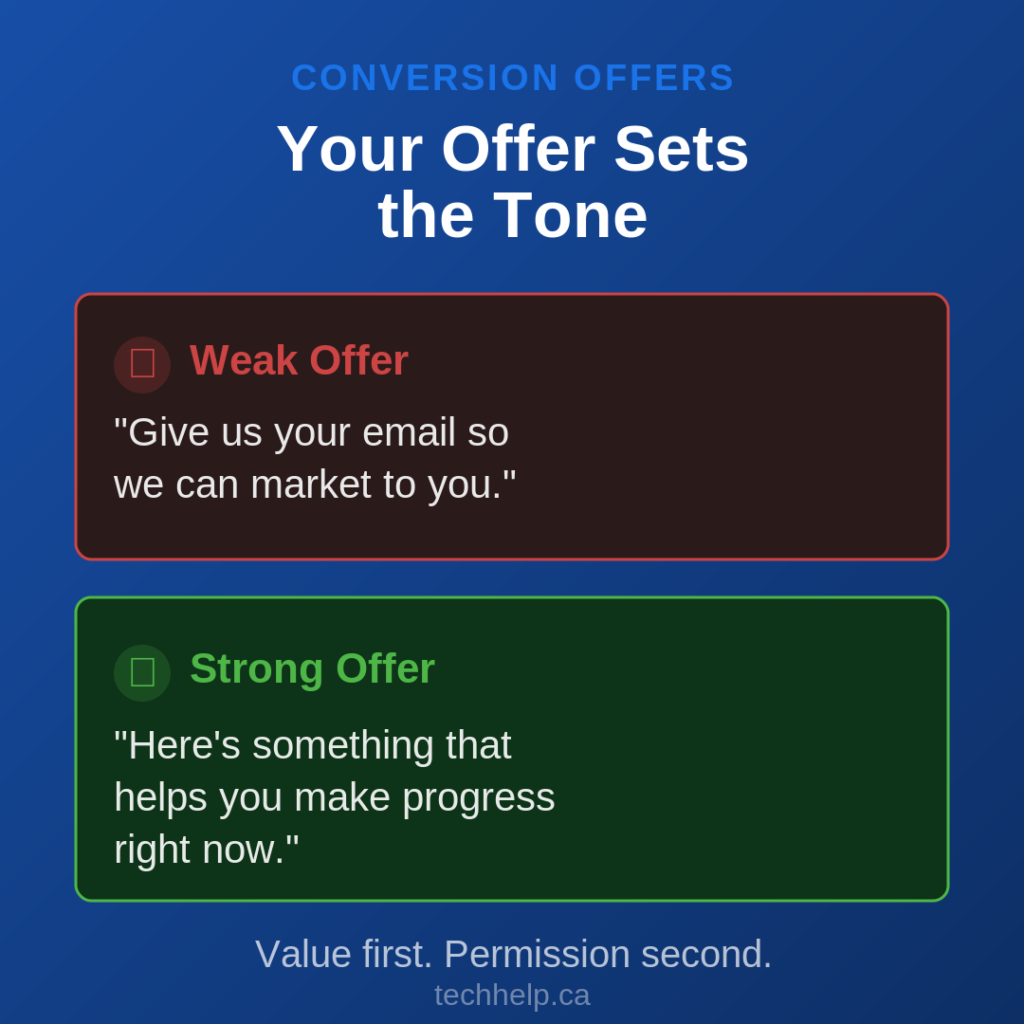
A weak offer says, “Give us your email so we can market to you.”
A strong offer says, “Here is something that helps you make progress right now.”
To make that exchange feel trustworthy:
Tell people exactly what they will get.
Keep forms short.
Avoid asking for sensitive information too early.
Explain what happens after they submit.
Make unsubscribe or preference control easy.
Deliver the resource immediately.
Follow up with content that matches the original request.
This is also where gated and ungated content decisions matter. Not every good resource should sit behind a form. Some assets should stay open because they build trust, earn links, and support search. Other assets can be gated when the value is specific enough and the visitor is likely to accept the exchange. Our guide to gated content vs. ungated content can help you choose where that line belongs.
Strong Calls to Action
Inbound websites need more than a contact button. They need calls to action that match the page and the visitor’s intent.
For an educational article, the next step might be:
Download the checklist
Read the comparison guide
Subscribe for weekly insights
Watch the demo
Use the calculator
Book a strategy call
For a service page, the next step might be:
See pricing options
View examples
Request an audit
Start a quote
Compare packages
The offer should feel like the natural next step, not an interruption.
Ingredient 3: A Focused Distribution and Nurture System
Publishing useful content is only half the work. People also need to find it, revisit it, and receive timely follow-up.
That’s where distribution and nurturing come in.
Nurturing is simply staying connected with people by sending relevant information after the first interaction. The word can sound clinical, but the practice is practical: answer the next question, reduce the next concern, and make the next step easier.
Search
Search remains one of the strongest inbound channels because it matches content to active intent. When someone searches a problem your business can solve, your resource hub gives you a chance to be discovered before they know your brand.
Search-focused content should use clear headings, direct answers, descriptive titles, strong internal links, and page structures that make the content easy to understand. Google’s SEO Starter Guide still emphasizes basics like helpful content, clear page titles, descriptive links, and making important pages easy to find.
Email
Email is one of the most important inbound follow-up channels because it’s an owned channel. Social platforms can change algorithms, but an email list gives you a direct way to continue the relationship.
Email can deliver:
New articles
Resource recommendations
Event invites
Product education
Customer stories
Seasonal reminders
Sales follow-up
Onboarding sequences
Litmus has reported that email marketing returns $36 for every $1 spent on average, which is one reason email remains central to many inbound programs. The return depends on list quality, offer fit, deliverability, and content relevance, but the broader lesson is stable: email works best when the relationship is earned, not scraped or spammed.
Social media can help distribute content, start conversations, and show proof of activity. It’s especially useful for sharing examples, quick insights, short videos, customer stories, and timely commentary.
However, social media shouldn’t be the only follow-up system. Platform reach changes, audiences get distracted, and posts disappear quickly. Use social media to create touchpoints, then guide interested people back to your website, email list, event, resource, or community.
Communities, Forums, and Partner Channels
The “where the action is” principle still matters. You don’t need to be everywhere. You need to show up where your audience already pays attention.
That might include LinkedIn groups, Reddit threads, niche forums, local business groups, YouTube, industry newsletters, podcasts, partner blogs, trade associations, or review platforms.
Choose channels based on audience behavior, not personal preference. A restaurant consultant may get more traction from local SEO, Instagram, and hospitality groups. A B2B software firm may get more from search, LinkedIn, webinars, partner newsletters, and sales enablement content.
Do You Need a Redesign or a Retrofit?
One of the first things business owners consider when they want better inbound marketing is a full website redesign. Sometimes that’s the right call, especially if the site is slow, confusing, outdated, hard to edit, or broken on mobile.
But many websites don’t need to be rebuilt from scratch. They need better content architecture, stronger offers, clearer calls to action, and a follow-up system.
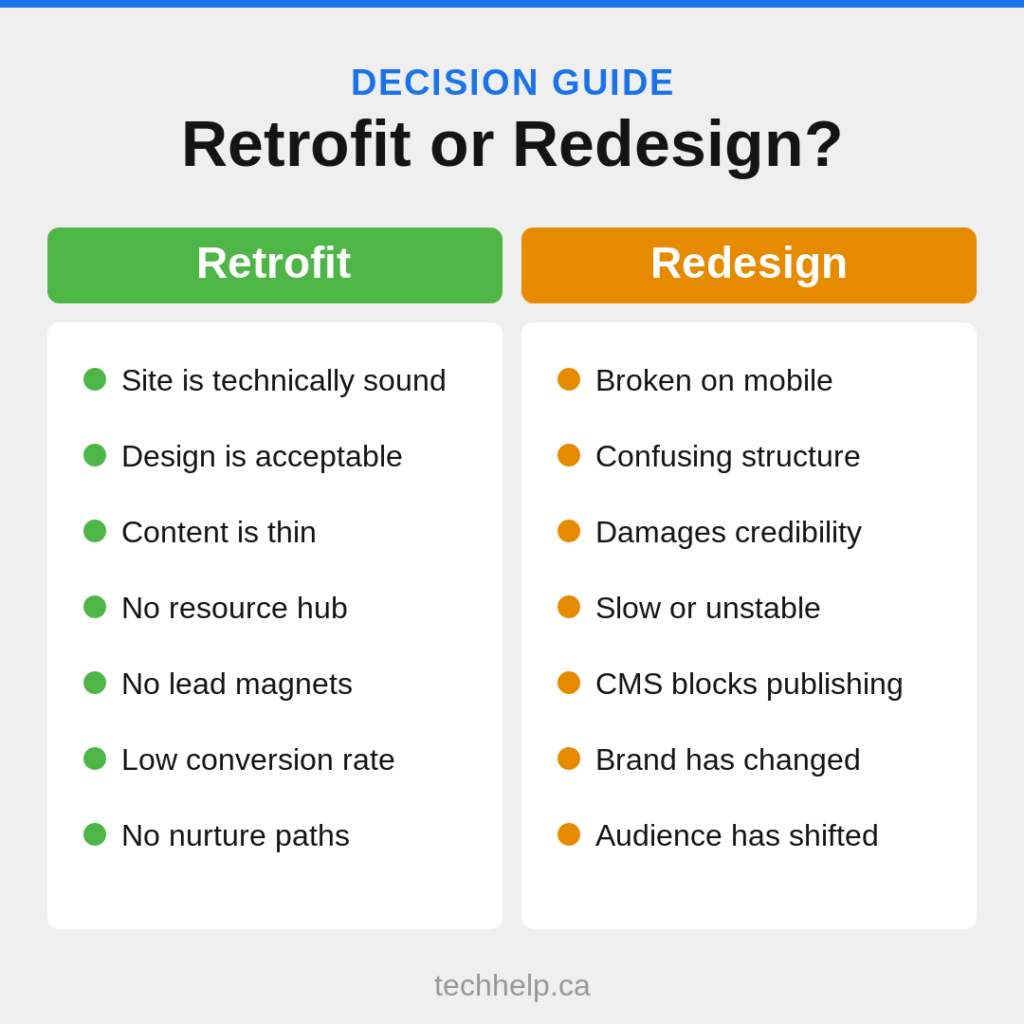
Start with a retrofit when:
The site is technically sound.
The design is acceptable but the content is thin.
Service pages explain the company but don’t answer buyer questions.
There are no lead magnets, resource hubs, or nurture paths.
The site has some search visibility but low conversion.
Consider a redesign when:
The site is hard to use on mobile.
The page structure is confusing.
The design damages credibility.
The site is slow or technically unstable.
The content management system blocks basic publishing.
The brand, offer, or audience has changed significantly.
The test is simple: will the change improve attraction, trust, conversion, or retention? If not, it may be cosmetic.
For businesses that need help deciding where to start, our online marketing solutions page outlines ways to improve the system around the website, not just the website itself.
Differentiation Makes Inbound Marketing Work Better
Useful content gets people in the door. Differentiation gives them a reason to remember you.
Most markets are crowded. If your website says the same thing as every competitor, even good content can feel interchangeable. A retrofit should sharpen what makes your business specific.
Ask:
Who do we serve best?
What problem do we understand better than competitors?
Which proof points can we show?
What do customers praise us for after the work is done?
Which segment should we focus on first?
What do competitors avoid explaining clearly?
Niching down often improves inbound performance because the content becomes more specific. A web design company that focuses on restaurants can write sharper content than a generalist trying to speak to everyone. A clothing company focused on corporate uniforms can answer more targeted buyer questions than a brand selling custom clothing to every possible customer.
Focus doesn’t mean refusing every other customer. It means making your marketing precise enough that the right people recognize themselves quickly.
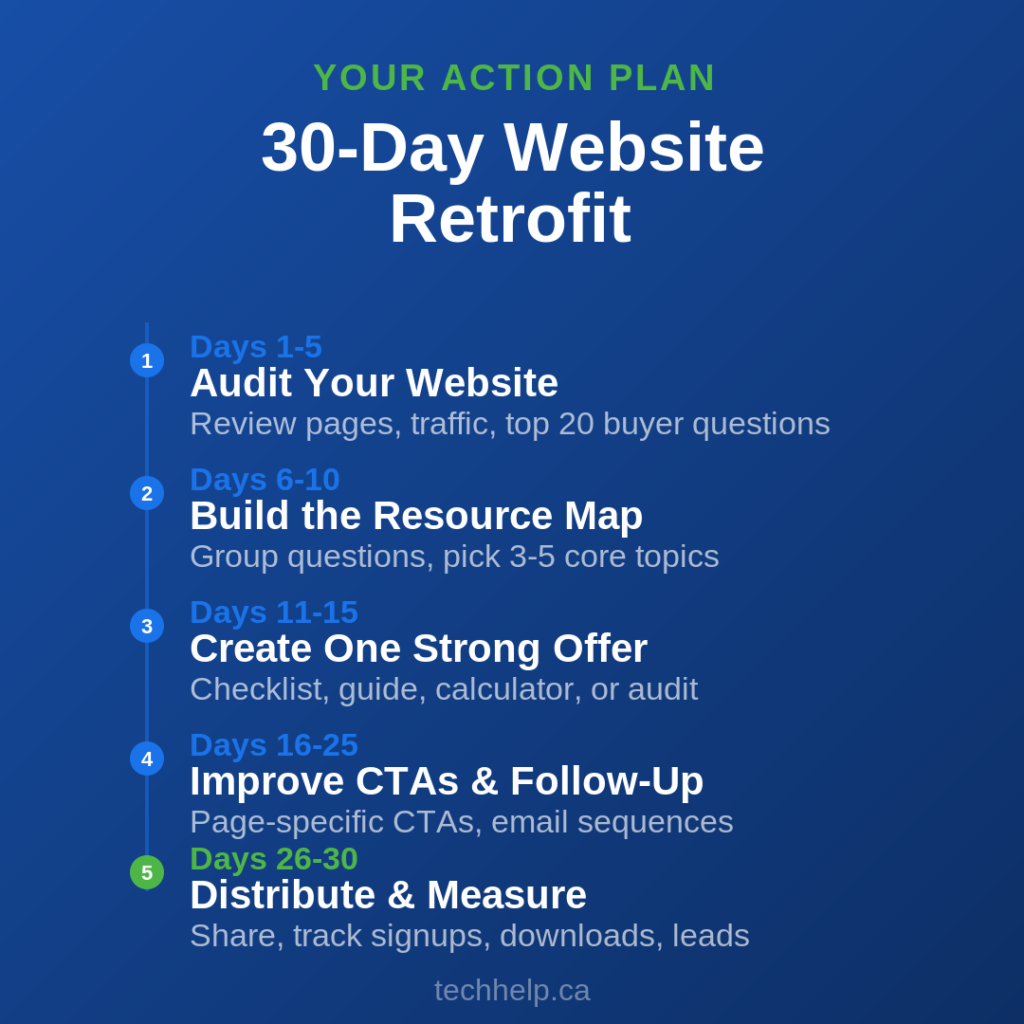
A 30-Day Website Retrofit Plan
You can start improving inbound performance without rebuilding everything. Use this 30-day sequence as a practical starting point.
Days 1-5: Audit the Website
Review your homepage, service pages, contact page, blog, navigation, and analytics. Identify which pages attract traffic, which pages convert, and which pages fail to answer obvious buyer questions.
Document the top 20 questions customers ask before buying. Pull from emails, calls, forms, reviews, search queries, sales notes, and support tickets.
Days 6-10: Build the Resource Map
Group those questions into themes. Choose three to five core topics your business can credibly own. For each topic, map one main guide and several supporting articles, videos, or FAQs.
Prioritize content with clear business value. A page that attracts the right buyer is more useful than a broad post that attracts unqualified traffic.
Days 11-15: Create One Strong Offer
Build one conversion offer connected to a high-intent topic. This could be a checklist, audit, guide, calculator, email course, or consultation path.
Keep the first version simple. The goal is to create a useful next step, not a perfect asset that takes months to launch.
Days 16-20: Improve Calls to Action
Add page-specific CTAs to your highest-value pages. Match each CTA to the visitor’s intent. Educational pages should usually offer more learning or a useful download. Service pages can ask for a consultation, quote, or audit.
Avoid using the same generic CTA everywhere.
Days 21-25: Set Up Follow-Up
Create a simple email sequence for people who request the offer. The sequence should deliver the asset, provide related guidance, answer common objections, and invite the next logical step.
If email automation isn’t ready, start with a manual follow-up process. A simple system used consistently beats a complex system that never launches.
Days 26-30: Distribute and Measure
Share the new resource through the channels your audience actually uses. That might include search optimization, LinkedIn, local groups, partner newsletters, sales follow-up, YouTube, or paid promotion.
Track basic signals:
Organic visits
Email signups
Offer downloads
CTA clicks
Consultation requests
Leads by source
Sales conversations influenced by content
Use the results to decide what to update, expand, or repurpose next.
The Bottom Line
An inbound website isn’t just a prettier website. It’s a better working system.
Your resource hub attracts and educates. Your conversion offer gives interested visitors a reason to stay connected. Your distribution and nurture system brings the right people back and moves them toward a useful next step.
That’s the retrofit most websites need: not more slogans, not more self-promotion, and not a redesign for its own sake. They need content that earns attention, offers that earn permission, and follow-up that earns trust.
When those three ingredients work together, your website stops acting like a static brochure and starts becoming a real marketing asset.
Frequently Asked Questions
What is an inbound marketing website?
An inbound marketing website is built to attract, educate, convert, and retain visitors through useful content and clear next steps. Instead of acting only like a digital brochure, it helps people find answers, trust the business, and stay connected until they’re ready to act.
Do I need to redesign my website for inbound marketing?
Not always. If the website is technically sound and easy to use, you may only need a retrofit: better content, stronger calls to action, a useful offer, and a follow-up system. A full redesign makes more sense when the site is slow, confusing, outdated, hard to edit, or weak on mobile.
What should go inside a website resource hub?
A resource hub can include blog posts, guides, videos, checklists, case studies, comparison pages, FAQs, webinars, templates, and calculators. The best resources answer real customer questions and help visitors make progress before they’re ready to buy.
What is a conversion offer?
A conversion offer is a useful resource, tool, consultation, event, or incentive that encourages visitors to take the next step. Examples include checklists, templates, buyer guides, audits, calculators, webinars, trials, and newsletter signups with a clear value promise.
Is social media enough for inbound marketing?
Social media can support inbound marketing, but it shouldn’t be the only system. Platforms change quickly, and posts disappear fast. Strong inbound marketing usually combines social media with website content, search visibility, email, community activity, and clear conversion paths.
How long does an inbound website retrofit take to work?
Some improvements, such as clearer calls to action or a better offer, can affect conversions quickly. Search visibility, trust, email growth, and content authority usually take longer because they build through consistent publishing, distribution, measurement, and updates.
Gabriel Nwatarali is the founder of Tech Help Canada and has worked in SEO, copywriting, and web strategy since the early 2000s. His work has helped drive more than 10 million app downloads and 2,900% organic traffic growth for startups, agencies, and brands across North America. He writes about SEO, marketing, AI, and the decisions that shape how businesses grow online, drawing on hands-on experience building websites, content systems, and digital strategies.