
CopyHub isn’t only for generating finished drafts.
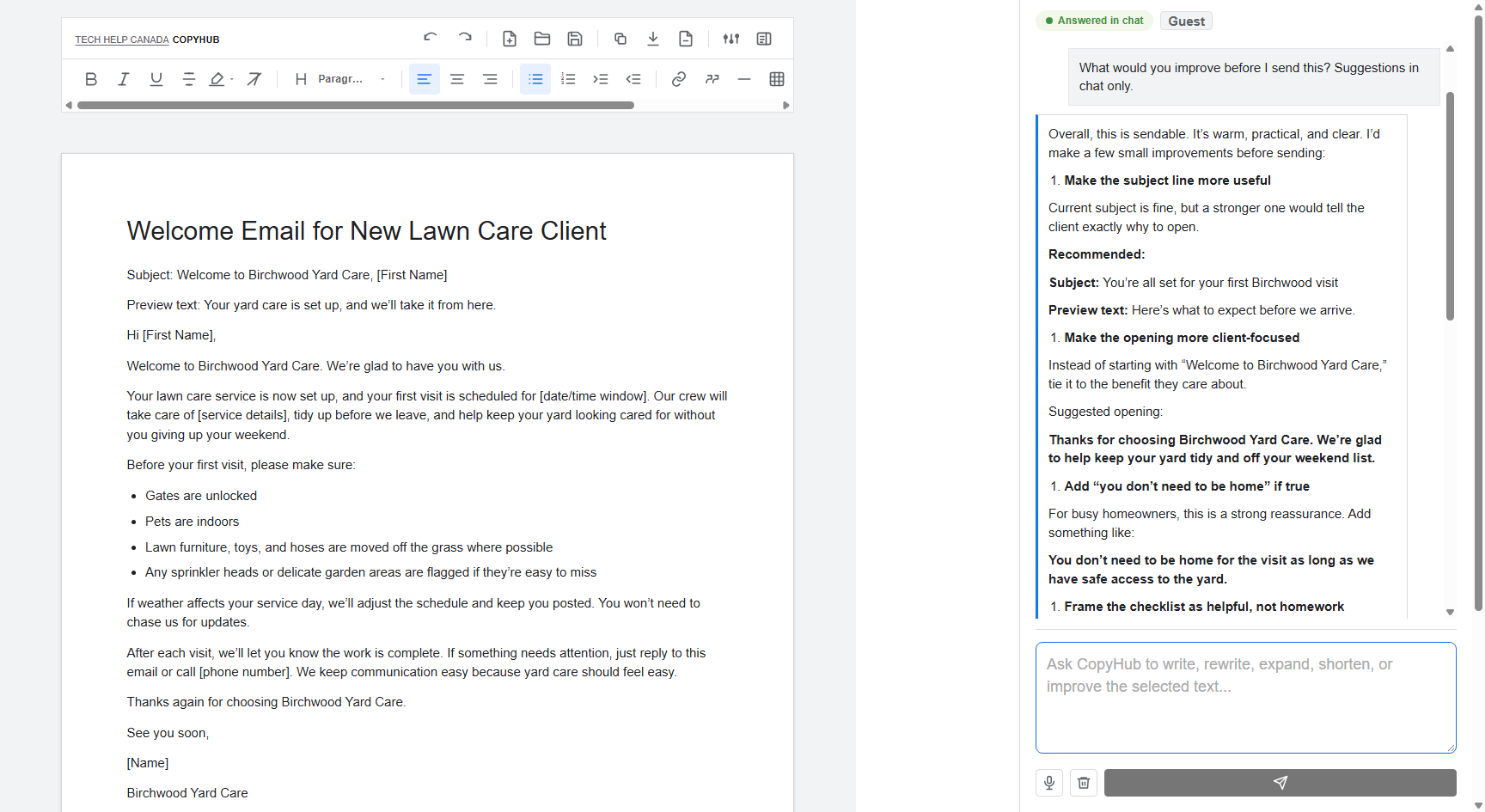
You can also use it as a writing partner. Ask questions, get feedback, request ideas, plan content, or ask for strategy without changing the document in the editor.
What usually stays in chat
CopyHub usually keeps these in chat:
- Questions.
- Research notes.
- Strategy.
- Outlines.
- Planning notes.
- QA feedback.
- Suggestions.
- Before-and-after recommendations.
- General conversation.
For example:
Does this article make sense?
What would you improve before I publish this?
Give me three stronger headline options in chat.
These requests shouldn’t automatically overwrite your draft.
When CopyHub updates the editor
CopyHub updates the editor when you ask for a final deliverable or an explicit draft change.
For example:
Write the full email.
Apply option 2 to the draft.
Rewrite the selected paragraph.
Those are action requests, so CopyHub may update the editor.
How to be extra clear
If you only want advice, say:
Give me suggestions in chat only.
If you want the editor updated, say:
Apply this to the editor.
Clear instructions help CopyHub understand whether you want conversation or document changes.
A good review workflow
Try this:
- Write or generate a draft.
- Ask CopyHub to review it in chat.
- Read the suggestions.
- Choose which suggestions to apply.
- Tell CopyHub to apply only the changes you want.
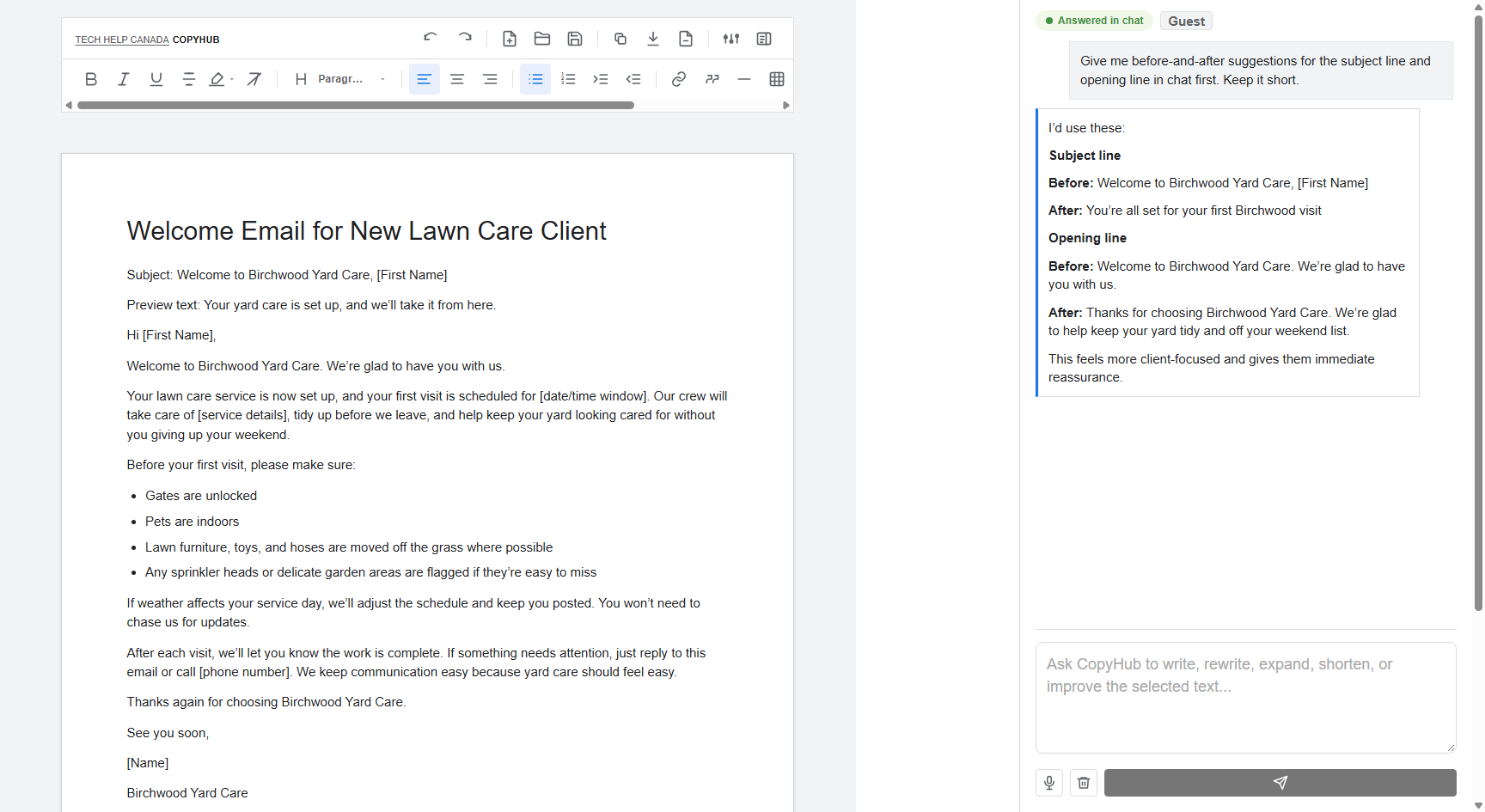
This keeps you in control of the draft.

I can suggest related Tech Help Canada articles based on the topic you’re reading now.

Tech Help Canada Staff researches, writes, and reviews practical content for business owners and professionals. Our coverage spans business, marketing, SEO, technology, and the tools and systems people use to grow and operate online. We focus on clear, useful information backed by research, hands-on experience, and editorial review. Learn more about our team and editorial standards. Need help with something? Contact Us